
Complete Guides
Complete Guide to Mecer UPS Systems in Kenya (2026)
Jun
Complete Guide to Mecer UPS Systems in Kenya
Mecer UPS systems are widely used in Kenya by homes, offices, retail businesses, CCTV installers, schools, hospitals, network administrators and IT teams that need dependable backup power for critical equipment. A UPS protects connected devices from sudden shutdowns during power outages and helps reduce the risk of data loss, interrupted operations and equipment damage caused by unstable power conditions.
This guide explains the main types of Mecer UPS systems, how they are used, what capacities are suitable for different applications, how to compare line interactive and online UPS options, and what buyers in Kenya should consider before choosing a Mecer UPS. It is designed as a practical buying and planning guide rather than a list of individual products.
A good Mecer UPS should be selected based on load size, backup runtime, UPS technology, installation environment, battery condition and future expansion needs. Price matters, but choosing by price alone often leads to undersizing or poor runtime performance.
Why Mecer UPS Systems Matter in Kenya
Power interruptions can affect internet connectivity, CCTV recording, payment systems, office computers, servers, access control systems and communication devices. For homes, a UPS can keep routers and basic electronics running long enough to continue working or shut down safely. For businesses, a UPS helps reduce downtime, protect data and maintain service continuity during short power interruptions.
Mecer UPS systems are suitable for a wide range of applications because they are available in different capacities and formats. Small line interactive models can support basic electronics, while online and rackmount UPS systems are better suited for sensitive IT loads, network cabinets and server environments.
What is a UPS?
A UPS, or uninterruptible power supply, is a backup power device that provides temporary power when mains electricity fails. It contains batteries, charging electronics and power conversion circuitry that allow connected equipment to continue operating for a limited period during an outage.
A UPS is not the same as a generator. A generator is designed for longer power supply after startup, while a UPS provides immediate backup power with little or no interruption. This makes a UPS especially important for computers, CCTV systems, routers, switches, servers and other electronics that can be affected by sudden power loss.
How a Mecer UPS Works
During normal operation, the UPS receives mains power, charges its internal batteries and supplies power to connected equipment. When mains power fails or becomes unstable, the UPS switches to battery backup and continues supplying power for a limited runtime. The actual runtime depends on the UPS capacity, battery size, connected load and battery health.
| Stage | What Happens | Why It Matters |
|---|---|---|
| Normal Utility Power | The UPS supplies power to connected devices while charging the battery. | Keeps the UPS ready for outages. |
| Voltage Fluctuation | Line interactive models use AVR to help stabilize voltage. | Reduces unnecessary battery use and protects equipment. |
| Power Failure | The UPS switches to battery backup. | Prevents immediate shutdown of connected equipment. |
| Battery Runtime | The UPS powers connected loads for a limited period. | Allows continued operation or safe shutdown. |
| Power Returns | The UPS resumes normal operation and recharges the battery. | Restores readiness for the next outage. |
Main Types of Mecer UPS Systems
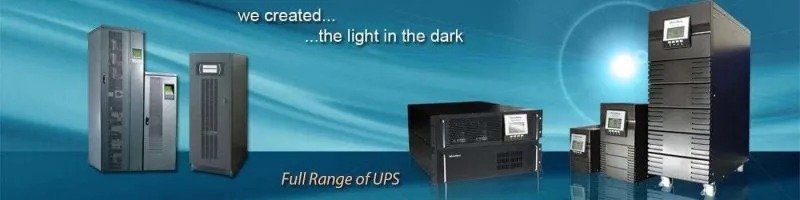
Mecer UPS systems can be grouped into several practical categories: line interactive UPS, online UPS, rackmount UPS and higher-capacity three-phase UPS systems. Each type serves a different environment and protection requirement.
| Mecer UPS Type | Best For | Protection Level | Typical Capacity Range |
|---|---|---|---|
| Line Interactive UPS | Homes, offices, routers, CCTV and POS systems | General backup and voltage regulation | 650VA to 3000VA |
| Online UPS | Servers, storage, networking and sensitive equipment | Higher-grade continuous protection | 2kVA to 10kVA+ |
| Rackmount UPS | Server racks, network cabinets and IT rooms | Professional rack-based protection | 1kVA to 6kVA+ |
| Three-Phase Online UPS | Large offices, institutions and enterprise loads | Enterprise power continuity | 10kVA to 40kVA+ |
Mecer Line Interactive UPS
A Mecer line interactive UPS is a practical choice for users who need affordable backup power for everyday equipment. These models are commonly used for routers, modems, office computers, CCTV DVRs, NVRs, POS terminals, switches and small business electronics.
Line interactive UPS systems usually include Automatic Voltage Regulation, commonly known as AVR. AVR helps correct moderate high or low voltage conditions without immediately switching to battery mode. This is useful in areas where voltage fluctuation is common because it helps preserve battery life while keeping connected devices protected.
Mecer Online UPS
A Mecer online UPS is suitable for sensitive and business-critical equipment. Online UPS systems are commonly used where cleaner, more consistent power is required, especially for servers, network equipment, storage systems, telecom equipment, medical ICT systems and security infrastructure.
Online UPS systems are often preferred for critical loads because they provide a higher level of power protection than basic backup UPS systems. They are especially useful where equipment cannot tolerate unstable voltage, frequent transfer events or poor power quality.
Mecer Rackmount UPS
Mecer rackmount UPS systems are designed for structured IT environments such as server cabinets, network racks and data rooms. They help keep UPS equipment organized inside standard rack cabinets and support cleaner cabling, better space usage and easier maintenance access.
Rackmount UPS systems are useful for IT teams, businesses and institutions that operate switches, routers, firewalls, rack servers, storage devices and communication systems inside network cabinets.
Mecer UPS Applications in Kenya
The right Mecer UPS depends on the equipment being protected. A home internet setup does not require the same capacity as a CCTV system, office network cabinet, server room or enterprise environment. Matching the UPS to the application helps improve runtime, reduce overload risks and avoid unnecessary spending.
| Environment | Common Equipment | Recommended UPS Type | Typical Capacity Range |
|---|---|---|---|
| Home Internet | Router, ONT, modem and small electronics | Line Interactive UPS | 650VA to 1000VA |
| Small Office | Computers, printers, routers and POS terminals | Line Interactive UPS | 1000VA to 3000VA |
| CCTV System | DVR, NVR, PoE switch, router and monitoring screen | Line Interactive or Online UPS | 1000VA to 3000VA |
| Network Cabinet | Switches, routers, firewall and access points | Rackmount UPS | 1000VA to 6000VA |
| Server Room | Servers, storage, switches and rack systems | Online or Rackmount UPS | 3kVA to 10kVA+ |
| Enterprise Environment | Critical infrastructure and larger electrical loads | Three-Phase Online UPS | 10kVA to 40kVA+ |
Mecer UPS for Home Use
For homes, the most common requirement is keeping internet equipment, desktop computers and basic electronics running during short outages. A compact line interactive Mecer UPS is usually enough for routers, modems, ONTs and small desktop setups. The goal is often short backup time, stable shutdown and continued connectivity.
Home users should avoid overloading a small UPS with high-power devices such as heaters, kettles, large printers, refrigerators or appliances with motors. UPS systems are mainly designed for electronics, IT equipment and controlled backup loads.
Mecer UPS for Offices
Office environments usually require UPS backup for computers, POS terminals, routers, switches, printers and communication equipment. A properly sized office UPS helps employees save work, prevent abrupt shutdowns and maintain basic business continuity during short outages.
For offices with multiple computers, it is better to calculate the total load instead of guessing. The UPS should have enough capacity to support the connected devices without operating continuously near maximum load.
Mecer UPS for CCTV Systems
CCTV systems need reliable power because an outage can interrupt recording and monitoring. A Mecer UPS can support DVRs, NVRs, PoE switches, routers, access control controllers and selected monitoring equipment. The required capacity depends on the number of cameras, whether PoE switches are used, the recorder power demand and the desired backup time.
For small CCTV systems, a line interactive UPS may be enough. For larger surveillance installations or security-critical sites, online UPS options may provide a stronger power protection approach.
Mecer UPS for Networking Equipment
Routers, switches, firewalls and wireless controllers are often small loads, but they are important because they keep communication systems running. A Mecer UPS for networking equipment should be sized based on the total wattage of all devices inside the cabinet or IT room.
Rackmount UPS systems are especially useful for network cabinets because they fit neatly inside racks, reduce cable clutter and support cleaner installation. They are a good option for offices, schools, hotels, hospitals and businesses with structured network rooms.
Mecer UPS for Servers and IT Infrastructure
Servers, storage devices and virtualization hosts should not be protected by undersized backup systems. For server rooms, online UPS systems are usually recommended because they provide stronger power conditioning and better protection for sensitive equipment.
A server UPS should be selected after assessing total load, startup behavior, runtime requirement, rack space, power distribution, monitoring needs and shutdown procedure. For growing organizations, it is also important to leave capacity for future expansion.
How to Choose the Right Mecer UPS Size
Choosing the right Mecer UPS size starts with load assessment. Add up the power requirements of the devices you want to protect, then allow enough headroom so the UPS does not run close to maximum capacity. A UPS that is overloaded or undersized will provide poor runtime and may fail to support equipment during outages.
| Consideration | What to Check | Recommendation |
|---|---|---|
| Connected Load | Total wattage of devices connected to the UPS | Choose a UPS with enough capacity and headroom. |
| Backup Runtime | How long equipment should stay powered | For longer runtime, consider higher capacity or battery planning. |
| Equipment Sensitivity | Whether equipment requires cleaner power | Use online UPS for servers and sensitive systems. |
| Installation Space | Desk, floor, shelf or rack cabinet | Use rackmount UPS for structured IT racks. |
| Future Expansion | Expected additional devices | Avoid choosing a UPS with no spare capacity. |
Mecer UPS Capacity Guide
Capacity is one of the most important considerations when buying a Mecer UPS. UPS capacity is usually shown in VA or kVA, while useful output power is shown in watts. Buyers should look at both values because the watt rating determines how much real equipment load the UPS can support.
| Capacity Range | Suitable For | Buying Note |
|---|---|---|
| 650VA to 850VA | Routers, modems, small desktops and basic electronics | Best for small loads and short backup needs. |
| 1000VA | Home office, POS, small CCTV and office devices | Useful entry point for small business backup. |
| 2000VA to 3000VA | Office computers, CCTV systems and networking loads | Better for multiple devices and moderate loads. |
| 3kVA to 6kVA | Servers, racks and business-critical equipment | Common for professional IT environments. |
| 10kVA and Above | Large offices, institutions and enterprise infrastructure | Usually requires proper assessment and project planning. |
Mecer UPS Price Guide in Kenya
Mecer UPS prices in Kenya vary depending on capacity, UPS technology, battery configuration, monitoring options, tower or rackmount format and whether the UPS is intended for basic backup or critical power protection. Because prices change over time, it is better to think in terms of price segments rather than fixed amounts.
| Price Segment | Typical Capacity | Typical Buyer | Buying Advice |
|---|---|---|---|
| Budget | 650VA to 1000VA | Home users and small offices | Good for routers, desktops and small electronics. |
| Economy to Mid-Range | 1000VA to 3000VA | Offices, CCTV users and retail businesses | Suitable for multiple devices and moderate loads. |
| Professional | 3kVA to 10kVA | IT teams and server room users | Recommended for sensitive and business-critical systems. |
| Enterprise / Project-Based | 10kVA and above | Institutions, data rooms and large businesses | Requires proper site assessment and power planning. |
Mecer Online UPS vs Line Interactive UPS
One of the most important buying decisions is whether to choose a line interactive UPS or an online UPS. Both provide battery backup, but they are designed for different levels of protection. Line interactive UPS systems are suitable for general backup needs, while online UPS systems are better for sensitive and critical equipment.
| Feature | Mecer Line Interactive UPS | Mecer Online UPS |
|---|---|---|
| Best Use | Homes, offices, CCTV and POS systems | Servers, storage, telecom and critical systems |
| Protection Level | Good general protection | Higher-grade power protection |
| Power Conditioning | Uses AVR for voltage stabilization | Designed for cleaner continuous output |
| Typical Cost Segment | Budget to mid-range | Professional to enterprise |
| Recommended Buyer | Home users, SMEs and basic backup users | IT teams, institutions and critical infrastructure users |
Mecer Tower UPS vs Rackmount UPS
Tower UPS systems are designed for standalone use, while rackmount UPS systems are designed for server racks and network cabinets. The best choice depends on your installation environment, available space and cable management needs.
| Feature | Tower UPS | Rackmount UPS |
|---|---|---|
| Installation | Floor, shelf or desk placement | Standard rack cabinet installation |
| Best For | Homes, offices and standalone equipment | Network cabinets, server racks and IT rooms |
| Space Use | Uses floor or shelf space | Uses rack space efficiently |
| Cable Management | Basic cable organization | Cleaner structured cabling |
| Typical Buyer | Home users, SMEs and offices | IT teams, enterprises and structured network users |
Battery Runtime and Performance
UPS runtime is affected by connected load, battery capacity, battery age, operating temperature and the condition of the UPS system. A UPS running a light load will usually provide longer runtime than the same UPS running close to its maximum capacity.
Mecer UPS users should pay attention to battery health because batteries gradually lose capacity over time. After battery aging, replacement or load changes, runtime verification can help confirm whether the UPS still provides enough backup time for the intended application.
Monitoring and Runtime Visibility
Some UPS and inverter systems support monitoring software for viewing power status, battery information, alarms, logs and device parameters. WatchPower-type monitoring tools are commonly used in compatible power backup environments for device status visibility, event logging and alarm review. Where supported by the specific Mecer UPS model, monitoring can help users better understand UPS performance and fault conditions.
Common Mistakes When Buying a Mecer UPS
Low price does not always mean the UPS is suitable. Capacity, runtime and UPS type should come first.
An undersized UPS may overload, provide poor runtime or fail to support equipment during an outage.
A UPS should be selected based on how long equipment must remain powered, not only the VA rating.
Servers and sensitive IT systems usually require stronger protection than basic home electronics.
UPS batteries are consumable and should be checked regularly to avoid runtime failure.
Growing offices and IT rooms should allow spare capacity for additional devices.
Frequently Asked Questions About Mecer UPS Systems
Which Mecer UPS is best for home use?
For home use, a small line interactive Mecer UPS is usually suitable for routers, modems, desktop computers and basic electronics. The best size depends on the connected load and desired runtime.
Which Mecer UPS is suitable for office computers?
Office users commonly choose line interactive UPS systems between 1000VA and 3000VA, depending on the number of computers, routers, printers and other devices connected.
Can I use a Mecer UPS for CCTV?
Yes. Mecer UPS systems can support CCTV DVRs, NVRs, PoE switches, routers and monitoring equipment. The required capacity depends on the number of cameras, recorder load and backup time needed.
Which Mecer UPS is best for servers?
For servers and sensitive IT equipment, an online UPS or rackmount UPS is usually recommended because it provides stronger protection than basic backup UPS models.
What affects Mecer UPS prices in Kenya?
Mecer UPS prices are affected by capacity, UPS technology, battery configuration, rackmount or tower format, monitoring features, runtime requirement and whether the UPS is designed for basic or critical power protection.
How long does a Mecer UPS battery last?
Battery life depends on usage, temperature, load level, charging conditions and battery quality. Runtime normally reduces as batteries age, so regular battery checks and runtime verification are important.
Is a rackmount Mecer UPS better than a tower UPS?
A rackmount UPS is better for server cabinets and structured IT environments, while a tower UPS is more suitable for standalone office, home or shop installations.
Where can I buy Mecer UPS systems in Kenya?
You can buy Mecer UPS systems from Rapidtech Networks Limited. Browse our Mecer UPS Systems in Kenya, visit the Mecer Online Store in Kenya, or explore Mecer UPS Power Backup Solutions in Kenya for installation, battery replacement and support.
Buy Mecer UPS Systems in Kenya from Rapidtech Networks Limited
Rapidtech Networks Limited supplies Mecer UPS systems for homes, offices, retail shops, CCTV systems, schools, hospitals, network cabinets, server rooms and enterprise environments across Kenya. Whether you need a small UPS for basic backup or a larger online UPS for critical infrastructure, our team can help you choose the right solution based on load size, runtime needs, installation environment and budget.
For broader support, visit our UPS Power Backup Services and Solutions in Kenya page.
Contact Rapidtech Networks Limited today for Mecer UPS supply, sizing guidance and power backup support in Kenya.

Pingback: Mecer UPS Price Guide Kenya | UPS Cost Ranges | Rapidtech Networks Limited