
Complete Guides
Digital Signature Pads Buying Guide Kenya (2026) – How to Choose the Right Wacom Pad
Digital Signature Pads Buying Guide Kenya (2026) – How to Choose the Right Wacom Pad
If you’re planning to invest in a digital signature pad in Kenya, you’ve probably already noticed there are a few solid options available. The challenge is not finding one — it’s choosing the right one for how your business actually operates day to day.
The truth is, selecting between the STU-430, STU-530, and STU-540 isn’t about picking the “best” device overall. It’s about understanding how your team captures signatures daily — how often, in what environment, and with what level of interaction.
Once you get that part right, choosing becomes much easier.
Start with Your Daily Workflow
Before looking at specifications, think about how signatures are captured in your business:
- Are customers signing quickly at a busy counter?
- Do they need to review documents before signing?
- Is the process repetitive and high-volume?
- Or is it more detailed and customer-focused?
Your answers to these questions will naturally point you toward the right device.
What Really Matters When Choosing a Signature Pad
Software Compatibility
The most important thing is whether the signature pad works with your existing systems. Whether it’s banking software, POS systems, or document platforms, the device should integrate smoothly without complicated setup.
Security and Signature Accuracy
Modern signature pads capture more than just a signature image. They record biometric details like pen pressure, speed, and stroke movement. This is what makes digital signatures secure and verifiable.
Ease of Use for Customers
A signature process should feel simple and natural. The easier it is for users to sign, the faster your operations run and the better the experience.
Durability for Daily Use
If your business handles many signatures each day, you need a device that can handle constant use without slowing you down.
Understanding the Wacom Signature Pad Options
At Rapidtech Networks Limited, we supply a range of Wacom signature pads in Kenya designed for different working environments. Each model fits a specific type of workflow.
Wacom STU-430 Signature Pad
If your environment is fast-paced — like a bank counter or busy service desk — the STU-430 is often the best fit. It’s compact, straightforward, and designed for quick, efficient signing.
There’s no unnecessary complexity. Customers sign, move on, and the process keeps flowing.
Wacom STU-530 Digital Signature Pad
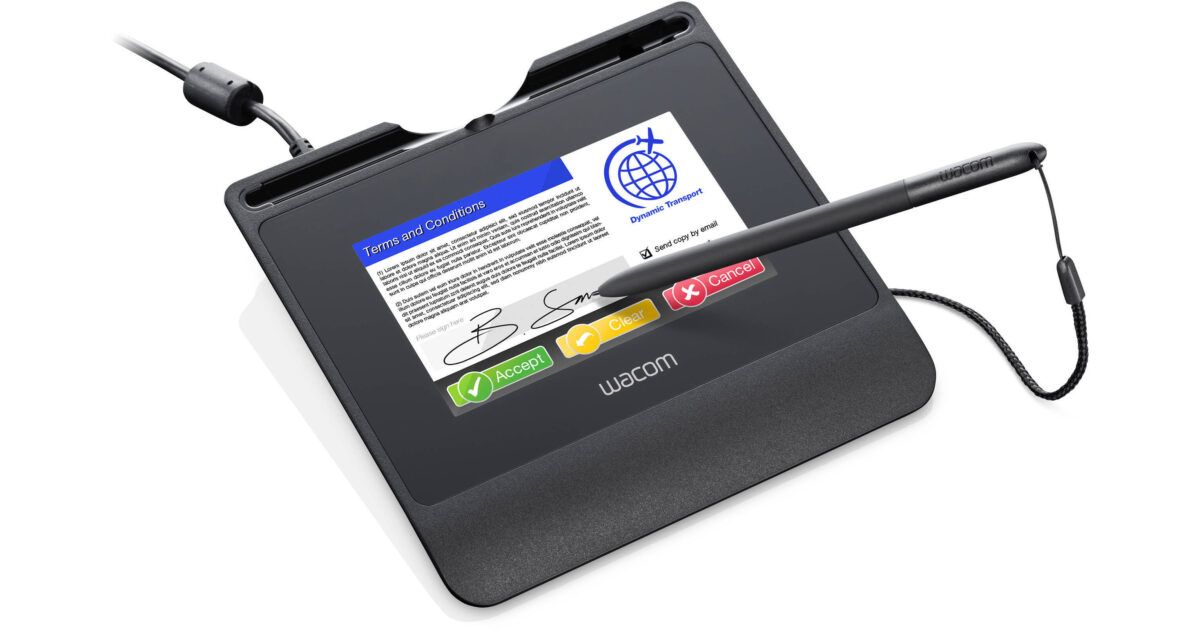
The STU-530 introduces a color display, which makes a big difference in customer-facing environments. It allows users to clearly see what they’re signing, and it creates a more guided, professional experience.
If your workflow involves interacting with customers — explaining documents or capturing detailed inputs — this model strikes a strong balance.
Wacom STU-540 Color Signature Pad
For more advanced environments, the STU-540 offers greater flexibility and security. It’s ideal for organizations that need tighter control, more integration, or operate in regulated industries.
It’s less about speed here and more about control, clarity, and reliability across more complex processes.
Wacom Signature Pad Comparison
Choosing between the STU-430, STU-530, and STU-540 depends largely on how signatures are captured in your daily operations. Here’s a simple way to compare them:
| Model | Display Type | Signing Experience | Best For | Key Advantage |
|---|---|---|---|---|
| Wacom STU-430 | Monochrome LCD | Fast and simple | Banking, high-volume counters | Speed and efficiency |
| Wacom STU-530 | Color LCD | Guided and interactive | Retail, customer service | Better user experience |
| Wacom STU-540 | Color LCD | Advanced and controlled | Enterprise, regulated sectors | Security and flexibility |
In simple terms, if your business is focused on speed, go with the STU-430. If you want a better customer interaction, the STU-530 works well. And if your processes require more control and security, the STU-540 is the stronger option.
Common Use Cases in Kenya
- Banking – account opening and transaction approvals
- Healthcare – patient consent and records
- Retail – purchase verification and receipts
- Government – document processing
- Logistics – proof of delivery
Where to Buy Signature Pads in Kenya
You can explore available models and purchase genuine devices here: Wacom Signature Pads in Kenya
Rapidtech Networks Limited supplies businesses across Nairobi, Mombasa, Kisumu, Nakuru, Eldoret, and beyond.
Why Buy from Rapidtech Networks Limited
- Genuine Wacom signature pads
- Guidance based on your business needs
- Support for integration and setup
- Reliable after-sales support
Final Thoughts
There’s no one-size-fits-all when it comes to signature pads. The right choice depends entirely on how your business captures signatures every day.
Start with your workflow, understand your environment, and choose the device that fits naturally into that process. That’s how you get the most value — not just from the device, but from your entire operation.

Pingback: Best Signature Pads in Kenya (2026) – Wacom STU-430 vs STU-530 vs STU-540 | Rapidtech Networks Limited
Pingback: What is a Digital Signature Pad and How Does it Work? | Rapidtech Networks Limited
Pingback: Electronic Signature vs Handwritten Signature: Which is Better for Businesses? | Rapidtech Networks Limited
Pingback: Signature Pad vs Tablet: Which is Better for Digital Signing? | Rapidtech Networks Limited
Pingback: Top Benefits of Using Digital Signature Pads in Kenya | Rapidtech Networks Limited