
Electronics
EVI Power Rackmount UPS vs Tower UPS | Kenya Guide
Jun
EVI Power Rackmount UPS vs Tower UPS: Which Is Better for Your Business?
Choosing between an EVI Power Rackmount UPS and an EVI Power Tower UPS depends on your installation environment, available space, load size, cable management needs and long-term power backup plans. Both form factors can provide reliable online UPS protection, but they are designed for different deployment styles.
Rackmount UPS systems are ideal for structured IT racks, network cabinets and server environments where equipment is already organized in a 19-inch rack. Tower UPS systems are better suited for standalone installations, server rooms, telecom rooms and larger business-critical loads where floor-standing deployment is more practical.
For application-based UPS selection, read our Best EVI Power UPS for Offices, CCTV Systems and Networking Equipment.
What Is an EVI Power Rackmount UPS?
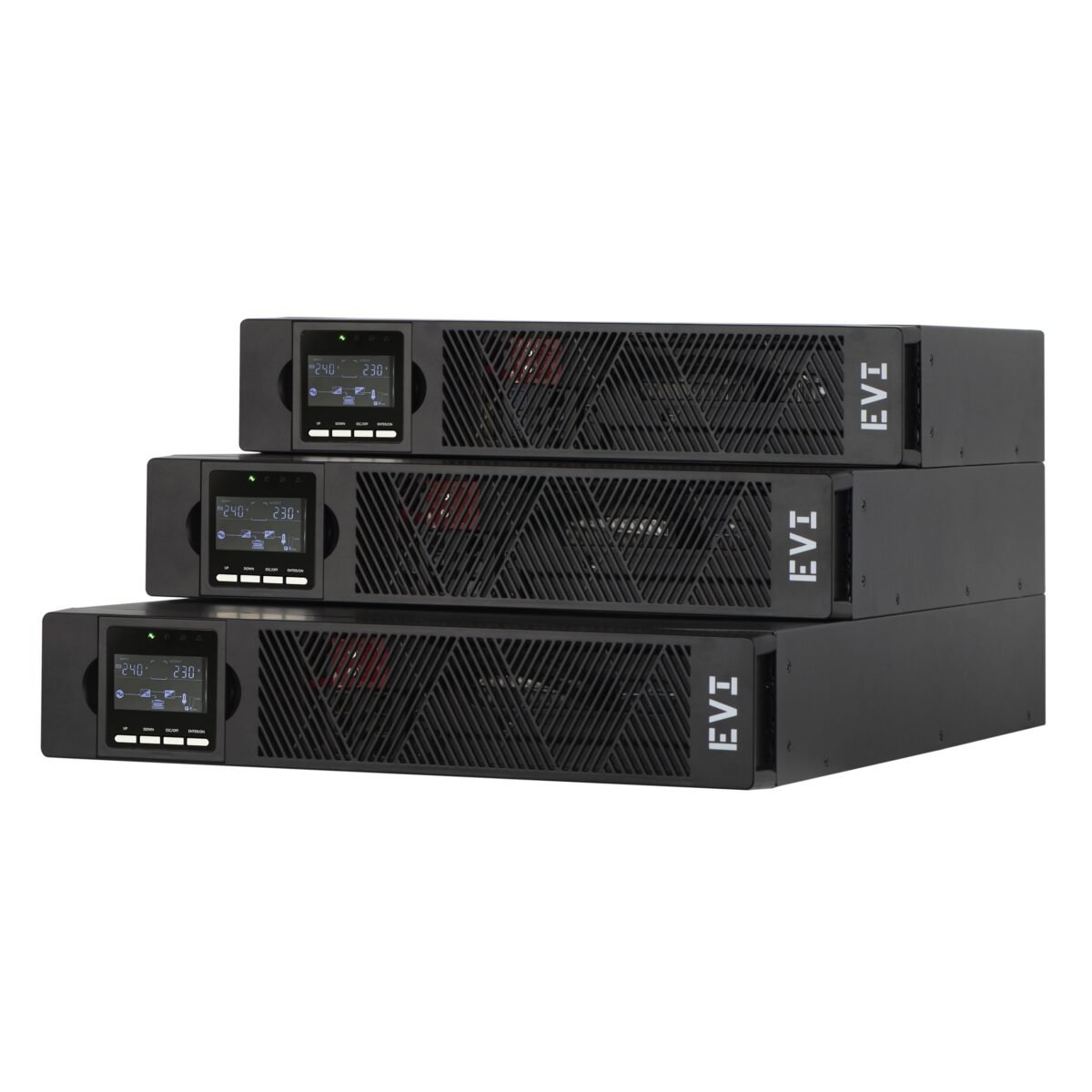
An EVI Power Rackmount UPS is designed to fit inside a standard 19-inch server rack or network cabinet. It is commonly used in IT environments where switches, routers, firewalls, storage systems and servers are already installed in structured racks.
Rackmount UPS systems help improve space management, cable organization and centralized power protection. They are suitable for network cabinets, server racks, IT rooms, telecom cabinets and businesses that want a clean, professional equipment layout.
What Is an EVI Power Tower UPS?
An EVI Power Tower UPS is a floor-standing UPS designed for standalone deployment. It is commonly used in offices, server rooms, telecom rooms and larger facilities where rack installation is not required or where the UPS capacity is higher than typical rack-based systems.
Tower UPS systems are practical for larger loads, business-critical equipment and environments where the UPS can be placed near protected equipment in a dedicated power backup area.
EVI Power Rackmount UPS vs Tower UPS Comparison
| Feature | Rackmount UPS | Tower UPS |
|---|---|---|
| Installation Style | Installed in a 19-inch rack or network cabinet | Placed on the floor or in a dedicated UPS area |
| Best Environment | Server racks and network cabinets | Server rooms, telecom rooms and offices |
| Space Usage | Uses rack space efficiently | Requires floor or equipment-room space |
| Cable Management | Cleaner for structured IT racks | Depends on installation layout |
| Typical Capacity | Commonly 1kVA to 3kVA | Commonly 6kVA to 10kVA and above |
| Typical Buyer | IT teams, network engineers and data rooms | Businesses, facilities and larger backup users |
When Should You Choose an EVI Power Rackmount UPS?
Choose an EVI Power Rackmount UPS when your equipment is already installed in a cabinet or server rack. This is common in structured network environments where switches, routers, servers, storage devices and firewalls need centralized backup power.
- Server racks and network cabinets
- Switches, routers and firewalls
- Small server rooms
- Data rooms with structured cabling
- Telecom cabinets
- Businesses that need clean rack-based deployment
When Should You Choose an EVI Power Tower UPS?
Choose an EVI Power Tower UPS when you need a standalone UPS for larger loads or where a rack installation is not practical. Tower UPS systems are suitable for server rooms, business-critical loads, telecom rooms and offices that require higher-capacity online UPS protection.
- Standalone server rooms
- Telecom equipment rooms
- Critical business systems
- Larger office backup requirements
- Facilities without rack infrastructure
- Higher-capacity UPS deployments
Best UPS Form Factor by Environment
| Environment | Recommended Form Factor | Reason |
|---|---|---|
| Network Cabinet | Rackmount UPS | Fits into the same cabinet as switches and routers. |
| Server Rack | Rackmount UPS | Supports structured IT equipment and rack cable management. |
| Small Office | Tower UPS | Easy to place near office equipment without rack infrastructure. |
| Server Room | Rackmount or Tower UPS | Depends on capacity, rack availability and load size. |
| Telecom Room | Tower UPS | Often supports larger standalone power backup requirements. |
| Data Centre | Depends on design | May require rack-level or centralized UPS architecture. |
Deployment Planning Guide
Before choosing between rackmount and tower UPS systems, consider the physical environment, equipment layout, available space, required capacity and future expansion plans.
| Requirement | Recommended UPS | Planning Note |
|---|---|---|
| Clean rack installation | Rackmount UPS | Best where equipment is already rack-based. |
| No rack available | Tower UPS | Simpler standalone deployment. |
| Limited floor space | Rackmount UPS | Uses rack space instead of floor space. |
| Higher-capacity load | Tower UPS | Often better for larger standalone UPS systems. |
| Structured IT environment | Rackmount UPS | Improves cabinet organization and cable routing. |
Capacity Considerations
Rackmount UPS systems are commonly selected for smaller to medium IT loads such as servers, switches, routers and storage equipment. Tower UPS systems are often selected where larger loads or higher capacities are required.
Capacity should always be based on the connected load and required runtime, not only the physical form factor. A rackmount UPS may be ideal for a network cabinet, but a tower UPS may be better where the load is larger or where the installation does not require rack mounting.
Runtime and Battery Planning
Runtime depends on the UPS capacity, battery configuration and connected load. A rackmount UPS may offer compact deployment, but runtime planning must still account for all connected devices. A tower UPS may provide more flexibility for larger backup requirements, depending on the model and battery configuration.
For business-critical loads, runtime should be planned carefully to allow safe shutdown, generator start-up or continued operation during power interruptions.
Common Mistakes When Choosing Rackmount or Tower UPS
- Choosing a rackmount UPS without checking rack depth and available space.
- Choosing a tower UPS when rack organization would be cleaner.
- Ignoring total load and focusing only on the form factor.
- Forgetting ventilation and access for maintenance.
- Not planning for future equipment expansion.
- Failing to consider battery replacement access.
Frequently Asked Questions
Is a rackmount UPS better than a tower UPS?
A rackmount UPS is better for rack-based IT environments, while a tower UPS is better for standalone installations and larger backup setups. The better choice depends on your environment.
Can I use a tower UPS in a server room?
Yes. Tower UPS systems are commonly used in server rooms, especially where higher-capacity standalone UPS protection is required.
Can I use a rackmount UPS outside a rack?
Some rackmount UPS systems may support flexible placement depending on the design, but they are primarily intended for rack installation.
Which UPS is better for network cabinets?
A rackmount UPS is usually better for network cabinets because it fits into the rack and supports cleaner cable management.
Which UPS is better for larger loads?
Tower UPS systems are often more practical for larger standalone loads, but the correct choice depends on capacity, runtime and site requirements.
Choose the Right EVI Power UPS Form Factor
Rapidtech Networks Limited supplies EVI Power rackmount and tower UPS systems for offices, network cabinets, server rooms, telecom environments and enterprise infrastructure across Kenya. Our team can help you compare UPS form factors based on rack space, load size, runtime expectations and installation environment.
Explore our EVI Power UPS Systems in Kenya, visit the EVI Power Online Store in Kenya, or learn more about EVI Power UPS Power Backup Solutions in Kenya.
Contact Rapidtech Networks Limited today for professional EVI Power UPS advice and support in Kenya.

Pingback: EVI Power UPS Battery Replacement Guide in Kenya | Rapidtech Networks Limited