
Electronics
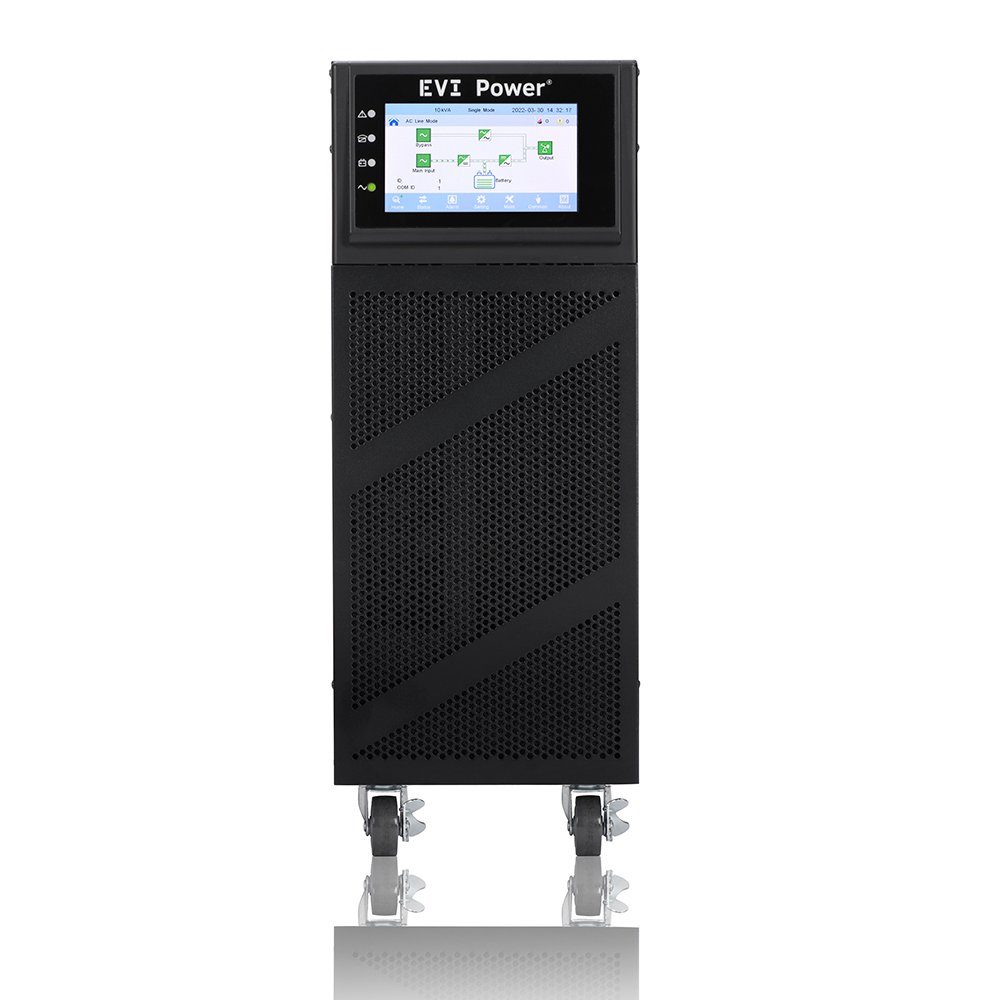
How to Choose the Right EVI Power UPS Size for Your Equipment
Jun
How to Choose the Right EVI Power UPS Size for Your Equipment
Selecting the correct EVI Power UPS size is one of the most important decisions when planning a power backup solution. An undersized UPS may overload during operation and provide insufficient runtime, while an oversized UPS can increase project costs unnecessarily. The ideal UPS should match your equipment load, runtime requirements and future expansion plans.
Whether you are protecting a home office, CCTV system, network cabinet, POS terminal, server room or enterprise infrastructure, understanding UPS sizing helps ensure reliable backup power and better long-term performance.
Browse available EVI Power UPS Systems in Kenya or visit our EVI Power Online Store in Kenya to compare available models and capacities.
Understanding UPS Capacity Ratings
UPS systems are typically rated in VA (Volt-Amps), Watts or kVA. While many buyers focus on the VA rating, it is equally important to consider the watt rating because connected equipment consumes real power measured in watts.
For example, two UPS systems may have similar VA ratings but different watt capacities depending on their power factor. Always compare both values before selecting a UPS.
| UPS Rating | Typical Use | Environment |
|---|---|---|
| 650VA – 850VA | Router, ONT, modem and small electronics | Home and small office |
| 1100VA – 1600VA | Desktop PCs, CCTV and POS systems | Retail and office use |
| 2000VA – 3000VA | Multiple workstations and networking equipment | SMEs and network rooms |
| 1kVA – 3kVA Online UPS | Servers and IT racks | Server rooms and network cabinets |
| 6kVA – 10kVA Online UPS | Critical business systems | Large offices and telecom environments |
| 20kVA – 40kVA Three Phase UPS | Enterprise infrastructure | Data centres and industrial facilities |
Estimate Your Equipment Load
Before choosing a UPS, calculate the total power consumption of all connected devices. This includes computers, monitors, routers, switches, cameras, storage systems, servers and any other equipment that must remain operational during a power outage.
| Equipment | Typical Power Consumption | Notes |
|---|---|---|
| Router | 10W – 30W | Depends on model and features |
| Desktop PC | 150W – 400W | Depends on hardware specifications |
| 24-Port Switch | 50W – 250W | Higher for PoE switches |
| NVR / DVR | 30W – 120W | Depends on channels and storage |
| Rack Server | 300W – 1000W+ | Depends on CPU, RAM and storage |
Plan for Future Expansion
One of the most common UPS sizing mistakes is selecting a UPS that only supports current equipment. As businesses grow, additional computers, switches, cameras, access points and servers may be added.
A good practice is to leave additional capacity for future growth. This reduces the likelihood of replacing the UPS prematurely and improves long-term return on investment.
| Current Load | Growth Allowance | Recommended Approach |
|---|---|---|
| Small Home Setup | 10% – 20% | Allow room for additional devices |
| Small Business | 20% – 30% | Support additional PCs and network equipment |
| Server Room | 30%+ | Allow for future servers and storage systems |
Choosing the Right UPS for Common Applications
Home Internet Backup
Typically requires a 650VA to 850VA Line Interactive UPS.
Office Workstations
Typically requires a 1100VA to 3000VA UPS depending on the number of users.
CCTV Systems
Usually requires 1100VA to 2000VA depending on recorder and PoE requirements.
Server Rooms
Typically require Online UPS systems from 1kVA upwards.
Common UPS Sizing Mistakes
- Ignoring actual watt consumption.
- Choosing a UPS based on price alone.
- Not allowing room for future expansion.
- Ignoring runtime requirements.
- Using a Line Interactive UPS where an Online UPS is required.
- Failing to consider battery replacement and maintenance requirements.
Frequently Asked Questions About UPS Sizing
Can I use a 650VA UPS for a desktop computer?
In some cases yes, but many desktop computers will require a larger UPS depending on power consumption and desired runtime.
How much spare capacity should I leave?
Leaving at least 20% spare capacity is generally recommended for most business environments.
Do servers require Online UPS systems?
For critical server environments, Online UPS systems are generally recommended because they provide higher power protection.
Does a larger UPS provide longer runtime?
Generally yes, but runtime also depends on battery capacity and the connected load.
Choose the Right EVI Power UPS with Confidence
Selecting the correct UPS size improves reliability, extends equipment protection and reduces the risk of overloads or insufficient runtime. By evaluating equipment load, runtime requirements and future expansion plans, businesses can invest in a UPS system that supports both current and future needs.
For assistance with UPS sizing, visit our EVI Power UPS Systems in Kenya page or contact Rapidtech Networks Limited for professional guidance.
For more detailed buying guidance, read our EVI Power UPS Buying Guide in Kenya, browse available EVI Power UPS Systems in Kenya, or visit the EVI Power Online Store in Kenya.

Pingback: EVI Power Line Interactive vs Online UPS | Complete Comparison Guide | Rapidtech Networks Limited
Pingback: EVI Power UPS Price Guide in Kenya | Compare UPS Costs | Rapidtech Networks Limited