
How to Guides
How to Integrate Signature Pads with POS, ERP and Banking Systems
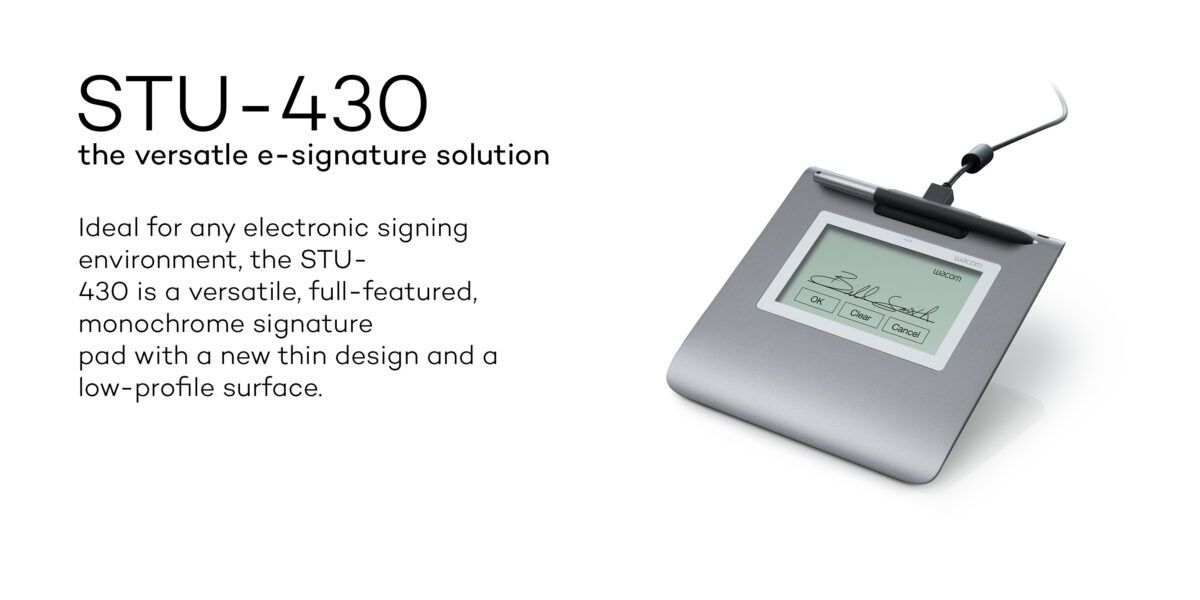
As more businesses in Kenya adopt digital workflows, integrating signature pads with existing systems such as POS, ERP, and banking platforms has become increasingly important. A well-integrated signature pad setup allows organizations to capture, store, and manage signatures seamlessly as part of their daily operations.
If you’re new to digital signing, you can start here: What is a Digital Signature Pad and How Does it Work?
Why Integration Matters
A signature pad on its own is just a device. Its real value comes from how well it integrates with your business systems.
When properly integrated, signature pads allow businesses to:
- Capture signatures directly within applications
- Automatically attach signatures to digital documents
- Store records securely within existing systems
- Reduce manual data entry and errors
Common Systems That Use Signature Pads
Point of Sale (POS) Systems
Retail businesses integrate signature pads with POS systems to capture customer approvals, receipts, and transaction confirmations in real time.
Enterprise Resource Planning (ERP) Systems
Organizations use signature pads within ERP systems for approvals, internal workflows, and document authorization.
Banking Systems
Banks integrate signature pads into their core systems to handle account opening, transaction approvals, and customer verification processes.
Learn more about banking use here: Why Banks in Kenya Use Signature Pads for Secure Transactions
Document Management Systems
Signature pads can be used alongside document management platforms to ensure signed documents are properly stored and easily retrievable.
How Signature Pad Integration Works
The integration process is usually straightforward when using compatible devices and systems.
1. Connect the Device
The signature pad is connected to a computer or terminal, typically via USB.
2. Install Required Software or Drivers
Depending on the system, minimal setup may be required to enable communication between the device and the application.
3. Configure the Application
The business system is configured to recognize the signature pad and capture signatures within its workflow.
4. Capture and Store Signatures
Once set up, signatures are captured and automatically stored within the system alongside relevant documents.
Choosing the Right Signature Pad for Integration
Selecting the right device depends on your system requirements and daily operations.
- Wacom STU-430 – Suitable for fast, high-volume environments
- Wacom STU-530 – Ideal for customer-facing applications
- Wacom STU-540 – Best for advanced integration and enterprise environments
Compare these models here: Best Signature Pads in Kenya (2026)
Browse all devices here: Wacom signature pads in Kenya
Key Considerations Before Integration
System Compatibility
Ensure the signature pad is compatible with your software environment, including POS, ERP, or custom systems.
Ease of Deployment
Choose devices that are easy to install and configure across multiple workstations.
Security Requirements
Consider how signature data is handled within your system to ensure reliable and secure workflows.
Scalability
If your business is growing, select a solution that can be deployed across multiple branches or locations.
Benefits of Integration
- Seamless digital workflows
- Faster processing of documents
- Reduced paperwork and manual handling
- Improved accuracy and record keeping
- Better overall operational efficiency
You can also explore the broader benefits here: Top Benefits of Using Digital Signature Pads in Kenya
Where to Buy Signature Pads in Kenya
You can purchase genuine Wacom signature pads from Rapidtech Networks Limited, a trusted supplier of digital signing solutions in Kenya.
Explore available models here: Wacom signature pads in Kenya
Why Choose Rapidtech Networks Limited
- Genuine Wacom signature pads
- Expert advice for system integration
- Support for deployment and setup
- Reliable after-sales support
- Nationwide supply across Kenya
Final Thoughts
Integrating signature pads into your business systems is a practical step toward improving efficiency and reducing manual processes.
With the right setup, organizations can streamline operations, improve accuracy, and deliver better service to customers.
The key is choosing a device that fits your workflow and integrates smoothly with your existing systems.
