
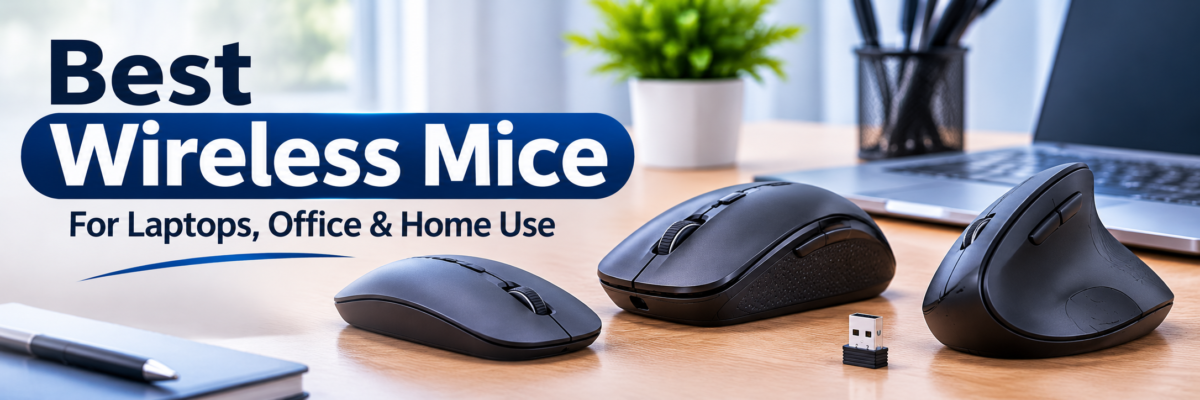
Wireless mice offer convenient cursor control without a permanent connecting cable. Some use a dedicated 2.4GHz USB receiver, while others connect through Bluetooth or support both methods. Available options range from affordable everyday office mice to premium productivity and ergonomic models.
This guide compares popular Logitech wireless mice alongside selected HP, Microsoft and Apple alternatives, helping you choose a suitable mouse for everyday computing, business productivity, remote work and portable laptop setups.
Quick Recommendations: Which Wireless Mouse Should You Choose?
Budget laptop and home use: Logitech M185 or HP 150 Wireless Mouse.
Bluetooth without a USB receiver: Logitech M240 Silent.
Travel and hybrid work: Logitech MX Anywhere 3S or Microsoft Surface Arc Mouse.
Office productivity: Logitech MX Master 3S.
Alternative ergonomic hand position: Logitech Lift Vertical.
Compatible Apple workstations: Apple Magic Mouse.
Explore our computer mice in Kenya to compare available wireless, Bluetooth and ergonomic models.
Best Wireless Mice in Kenya: Quick Comparison
The following models serve different computing requirements. Manufacturer-rated battery life is approximate and may vary with usage, settings and operating conditions.
| Mouse Model | Connectivity | Power | Best Application |
|---|---|---|---|
| Logitech MX Master 3S | Bluetooth LE / Logi Bolt | USB-C rechargeable | Professional productivity and multi-device work |
| Logitech MX Anywhere 3S | Bluetooth LE / Logi Bolt compatible | USB-C rechargeable | Travel and portable laptop productivity |
| Logitech Lift Vertical | Bluetooth LE / Logi Bolt | 1 AA battery | Ergonomic office use |
| Logitech M240 Silent | Bluetooth LE | 1 AA battery | Quiet workspaces and USB-C laptops |
| Logitech M185 | 2.4GHz USB receiver | 1 AA battery | Everyday home and office computing |
| HP 150 Wireless | 2.4GHz USB receiver | Replaceable battery | General office and laptop use |
| Microsoft Surface Arc | Bluetooth | Replaceable batteries | Portable business workstations |
| Apple Magic Mouse | Bluetooth | Rechargeable | Compatible Mac workstations |
Note: The listed models are buying-guide examples, not a guarantee of current Rapidtech stock. Confirm the exact model, included accessories and current price before purchasing.
Logitech MX Master 3S – Best for Professional Productivity
The Logitech MX Master 3S is designed for demanding office and productivity workflows. Its contoured shape, customizable controls and advanced scrolling features make it suitable for professionals working with spreadsheets, documents, creative software and multiple computers.
Key Features
- Up to 8,000 DPI adjustable tracking sensitivity.
- Darkfield high-precision sensor with tracking support on suitable glass surfaces.
- MagSpeed electromagnetic scrolling for fast navigation.
- Quiet-click technology for reduced clicking noise.
- Bluetooth Low Energy and Logi Bolt connectivity.
- Multi-device switching for up to three supported devices.
- USB-C rechargeable battery with manufacturer-rated use of up to 70 days per full charge.
- Customizable controls through supported Logitech software.
Best for: Accountants, software developers, analysts, designers and office professionals who frequently work with large documents, spreadsheets or multiple devices.
Consider before buying: The MX Master 3S is relatively large and designed primarily for right-handed use. Verify the exact retail or business package and whether a Logi Bolt receiver is included.
Logitech MX Anywhere 3S – Best for Laptop Travel and Hybrid Work
The Logitech MX Anywhere 3S is a compact wireless productivity mouse designed for users who work from different locations. Its portable shape makes it suitable for laptop bags, home offices, business travel and shared workspaces.
Key Features
- Up to 8,000 DPI tracking sensitivity.
- Darkfield sensor designed for tracking on a variety of surfaces, including suitable glass.
- MagSpeed scrolling for efficient navigation.
- Quiet-click buttons.
- Bluetooth Low Energy connectivity.
- Compatibility with supported Logi Bolt receivers.
- Multi-device switching for up to three compatible devices.
- USB-C charging with manufacturer-rated battery life of up to 70 days.
Best for: Consultants, students, mobile professionals and laptop users who want a compact mouse with advanced productivity features.
Important: A Logi Bolt receiver may be sold separately depending on the exact package. Check the included accessories rather than assuming every MX Anywhere 3S package contains a receiver.
Logitech Lift Vertical – Best for an Alternative Ergonomic Grip
The Logitech Lift Vertical is an ergonomic wireless mouse designed around a 57-degree vertical hand position. It provides an alternative to the flatter shapes of conventional computer mice.
Its contoured design and wireless connectivity make it an option for users who spend extended periods working at a desk and prefer a different hand position.
Key Features
- 57-degree vertical ergonomic design.
- Bluetooth Low Energy and Logi Bolt connectivity.
- Quiet clicking and customizable controls.
- Adjustable pointer speed on supported configurations.
- Manufacturer-rated battery life of up to 24 months using one AA battery.
- Designed for small to medium-sized hands in the standard Lift range.
Best for: Office professionals, administrators, accountants and users who prefer a vertical mouse shape.
Consider before buying: Ergonomic suitability varies by hand size, grip and personal preference. A vertical mouse is not a guaranteed treatment or prevention method for wrist or forearm pain.
Explore the Logitech Lift Vertical Ergonomic Wireless and Bluetooth Mouse – Graphite at Rapidtech Networks Limited.
Logitech M240 Silent – Best for Quiet Bluetooth Computing
The Logitech M240 Silent is a compact Bluetooth mouse intended for everyday productivity in quiet environments such as shared offices, libraries, study rooms and home workspaces.
Unlike wireless mice that require a dedicated USB receiver, the M240 connects directly through compatible Bluetooth Low Energy hardware.
Key Features
- Bluetooth Low Energy wireless connectivity.
- Logitech SilentTouch technology for reduced click noise.
- Compact design suitable for portable workstations.
- Optical tracking for everyday navigation.
- One AA battery with manufacturer-rated life of up to 18 months.
- No dedicated USB receiver required for supported Bluetooth devices.
Best for: Students, office workers, MacBook users and owners of compatible laptops with limited USB ports.
Consider before buying: Confirm Bluetooth support on your computer. The M240 is intended for general productivity rather than specialized competitive gaming.
Logitech M185 – Best for Budget Everyday Wireless Use
The Logitech M185 is a straightforward wireless mouse designed for basic computer navigation. It is commonly considered by users who want a simple mouse for office documents, browsing, online learning and home computing.
Key Features
- 2.4GHz wireless connectivity using a USB receiver.
- Compact design for everyday computing.
- Optical tracking for normal desktop navigation.
- One AA battery with manufacturer-rated life of up to 12 months.
- Plug-and-play operation on compatible computers.
Best for: Students, home users, reception desks and general office computers.
Consider before buying: The M185 uses a USB receiver rather than direct Bluetooth pairing. Check that your laptop has a suitable USB port or compatible adapter.
HP 150 Wireless Mouse – Everyday Office and Home Alternative
The HP 150 Wireless Mouse is another option for users looking for straightforward wireless navigation on compatible laptops and desktops.
Its receiver-based connection is useful for general office applications, browsing, spreadsheets and home computing where advanced gaming or multi-device controls are unnecessary.
Why Consider the HP 150?
- Wireless operation without a permanent mouse cable.
- Suitable for everyday productivity applications.
- USB receiver connectivity for compatible computers.
- Conventional mouse design for familiar navigation.
Best for: Home offices, administrative workstations, students and general laptop use.
View the HP 150 Wireless Mouse (2S9L1AA) for the listed specifications and current product details.
Microsoft Surface Arc Mouse – Best for Portable Business Setups
The Microsoft Surface Arc Mouse features a slim, travel-oriented design that can be flattened for convenient storage and curved for use.
Its Bluetooth connectivity makes it suitable for compatible laptops where carrying a separate USB receiver is undesirable.
Key Features
- Bluetooth wireless connectivity.
- Portable folding design.
- Touch-sensitive scrolling surface.
- Battery-powered operation.
- Designed for compatible portable productivity setups.
Best for: Business travelers, mobile professionals and users who prioritize compact laptop accessories.
Consider before buying: Its unusual shape may not suit every hand or grip style. Check operating system compatibility and supported scrolling features.
Explore the Microsoft Surface Arc Mouse – Black.
Apple Magic Mouse – Best for Compatible Mac Workstations
The Apple Magic Mouse is designed for supported Apple computing environments and combines Bluetooth connectivity with a Multi-Touch surface.
Its gesture controls can be useful for navigating supported macOS applications and desktop workflows.
Key Features
- Bluetooth wireless connectivity.
- Multi-Touch surface for supported gestures.
- Low-profile design.
- Integrated rechargeable battery.
- Designed for supported Apple computer environments.
Best for: Compatible Mac desktop and laptop users who prefer Apple’s Multi-Touch mouse interface.
Consider before buying: Confirm the exact model’s charging connector, operating system requirements and gesture support. Apple Magic Mouse versions differ in their charging arrangements.
View the Apple Magic Mouse Black (MMMQ3LL/A).
Bluetooth vs 2.4GHz USB Wireless Mice for Laptops
Choosing the right connection method is important, especially when using a modern laptop with limited USB ports.
| Feature | Bluetooth Mouse | 2.4GHz USB Receiver Mouse |
|---|---|---|
| Connection | Bluetooth pairing | Dedicated USB receiver |
| USB Port | Not required when Bluetooth is built in | Required for the receiver |
| Initial Setup | Pair through operating system settings | Usually connect receiver and power on mouse |
| Compatibility | Requires supported Bluetooth hardware and software | Requires compatible USB port and receiver |
| Typical Application | Ultrabooks, MacBooks and portable workstations | Office desktops and everyday laptops |
Compatibility tip: A USB receiver mouse is not automatically Bluetooth-compatible. Likewise, a Bluetooth-only mouse may not work in certain BIOS or pre-boot environments. Always confirm the supported connection method.
For a broader comparison of mouse connectivity and use cases, read our wired vs wireless mouse comparison.
Best Wireless Mouse for Office Work: What Matters Most?
Office professionals often spend long periods navigating spreadsheets, documents, email and web-based applications. A suitable wireless mouse should provide comfortable navigation and dependable connectivity.
Comfort and Grip
Choose a mouse that suits your hand size and preferred grip. Compact travel models and full-size productivity mice can feel different during extended use.
Quiet Clicking
Silent-click models may be useful in shared offices, libraries and other quiet environments.
Scrolling and Shortcuts
Advanced scrolling and programmable buttons may help users who frequently navigate long documents or repetitive workflows.
Battery Convenience
Consider whether you prefer replaceable batteries or USB rechargeable power and review the manufacturer’s battery-life rating.
Recommendation: A basic wireless mouse may be sufficient for routine office work. Professionals handling complex documents or multiple devices may benefit from advanced productivity features.
Best Wireless Mouse for Home Use and Students
Home users and students commonly need a mouse for browsing, online learning, documents, presentations and entertainment. These activities rarely require premium gaming sensors or extensive programmable controls.
For a laptop with a compatible USB-A port, a receiver-based mouse such as the Logitech M185 or HP 150 may be suitable.
For a Bluetooth-enabled laptop with limited USB ports, a model such as the Logitech M240 Silent may be more convenient.
Prioritize comfortable size, reliable connectivity, battery convenience and the total purchase cost.
Best Wireless Mouse for Remote Work and Business Travel
Mobile professionals often carry laptops between offices, client meetings, co-working spaces and home workstations. A compact wireless mouse can reduce cable clutter and simplify setup.
The Logitech MX Anywhere 3S is suited to users who want advanced productivity features in a compact design. The Microsoft Surface Arc Mouse offers an alternative portable form factor.
When choosing a travel mouse, compare:
- Physical dimensions and weight.
- Bluetooth and USB receiver requirements.
- Battery life and charging arrangements.
- Compatibility with your laptop’s operating system.
- Suitability for the surfaces where you normally work.
- Comfort during longer working sessions.
How Much Should You Spend on a Wireless Mouse in Kenya?
Wireless mouse prices in Kenya vary according to brand, connectivity, sensor technology, ergonomic design, battery system and advanced productivity features.
Basic receiver-based mice are generally positioned toward affordable everyday computing, while advanced Bluetooth, multi-device and ergonomic models may cost more.
Premium productivity mice can justify their higher cost for users who regularly benefit from customizable controls, advanced scrolling or multi-device workflows. However, these features may be unnecessary for basic browsing and office documents.
Buying recommendation: Compare the features you will actually use rather than choosing a mouse solely because it has the highest DPI rating or most expensive design.
Wireless Mouse Buying Checklist
- Connection: Confirm Bluetooth, USB receiver or dual-mode support.
- Laptop ports: Check whether your device has USB-A, USB-C or Bluetooth.
- Hand comfort: Consider mouse dimensions, grip and shape.
- Battery: Compare replaceable and rechargeable power options.
- Multi-device use: Verify supported device switching if required.
- Click noise: Consider quiet-click models for shared spaces.
- Sensor: Review tracking requirements and supported surfaces.
- Software: Check operating system support for customization features.
- Package contents: Confirm whether the required USB receiver is included.
- Warranty: Verify the applicable warranty for the exact model.
- Price: Confirm current pricing, VAT and delivery charges.
Where to Buy Wireless Mice in Nairobi, Kenya
Rapidtech Networks Limited supplies computer mice and related accessories online and from our Nairobi CBD office. Customers can compare available wireless and Bluetooth mouse models according to their computer requirements.
Explore our Logitech products and HP products for compatible computing peripherals and accessories.
For an introduction to wired, wireless, gaming and ergonomic mouse types, read our complete computer mouse buying guide in Kenya.
Contact our team before visiting the Nairobi CBD office to confirm product availability, specifications and collection arrangements.
Frequently Asked Questions About Wireless Mice
Which wireless mouse is best for a laptop in Kenya?
The best choice depends on your laptop’s ports, Bluetooth support, budget and comfort preferences. Basic receiver-based models suit everyday use, while Bluetooth and advanced productivity models offer additional flexibility.
Is the Logitech M185 a Bluetooth mouse?
No. The Logitech M185 uses a dedicated 2.4GHz USB receiver rather than direct Bluetooth pairing.
Which Logitech mouse is suitable for office productivity?
The MX Master 3S offers advanced scrolling, customizable controls and multi-device features for demanding productivity workflows. Simpler office tasks may not require these features.
Which wireless mouse is suitable for MacBooks?
Compatible Bluetooth mice can be convenient for MacBooks with limited USB-A ports. Check macOS support and whether advanced features require additional software.
Do Bluetooth mice require a USB receiver?
No dedicated mouse receiver is required when the computer has compatible Bluetooth hardware. Some dual-mode mice also support optional USB receivers.
Are rechargeable wireless mice better than battery-powered models?
Both options have advantages. Rechargeable models avoid regular disposable battery purchases, while replaceable-battery mice allow quick battery replacement. Choose according to your preferences.
How long do wireless mouse batteries last?
Battery life varies by model, usage and operating conditions. Some office mice have manufacturer-rated battery life measured in months, while rechargeable models may be rated for weeks between charges.
Is a vertical wireless mouse better for office work?
A vertical mouse provides an alternative hand position that some users find comfortable. Suitability depends on hand size, grip and working habits.
Can a wireless mouse connect to multiple devices?
Selected models support pairing with multiple compatible devices and switching between them. Check the exact model’s connection options and device limits.
Does the Logitech MX Anywhere 3S include a USB receiver?
Package contents vary by edition and market. The MX Anywhere 3S supports Bluetooth and compatible Logi Bolt receivers, but you should confirm whether a receiver is included with the specific listing.
Which wireless mouse is best for students?
An affordable, compact model with reliable connectivity and convenient battery life is often sufficient. Check whether the student’s laptop supports USB receiver or Bluetooth connectivity.
Where can I buy wireless computer mice in Nairobi?
Rapidtech Networks Limited supplies wireless computer mice and accessories online and from our Nairobi CBD office.
Do you deliver wireless mice across Kenya?
Rapidtech Networks Limited offers delivery arrangements across Kenya, subject to product availability, order confirmation and applicable delivery charges.
Buy Wireless Computer Mice in Kenya from Rapidtech Networks Limited
Rapidtech Networks Limited supplies wireless mice, Bluetooth mice and ergonomic computer mice for compatible laptops, desktops, office workstations and home computing setups. Compare available Logitech, HP, Microsoft, Apple and other models by connectivity, comfort, battery requirements and specifications before purchasing.
We serve customers in Nairobi, Mombasa, Kisumu, Nakuru, Eldoret, Thika, Kiambu, Nyeri, Meru, Embu, Machakos, Kitale, Kericho, Kisii, Malindi and other towns throughout Kenya.
Our team can assist with wireless receiver compatibility, Bluetooth pairing requirements, ergonomic mouse selection, battery options and suitable computer mice for your laptop or desktop. Contact Rapidtech Networks Limited with your device model and intended use for product enquiries and quotations.
Call or WhatsApp 0722 555 289, or email sales@rapidtech.co.ke.
[…] model recommendations, read our best wireless mice for laptops, office and home use […]
[…] detailed recommendations across different budgets and work environments, read our best wireless mice for laptops, office and home use […]
[…] interested in non-gaming wireless mice for office and home use can also read our best wireless mice for laptops, office and home use […]