
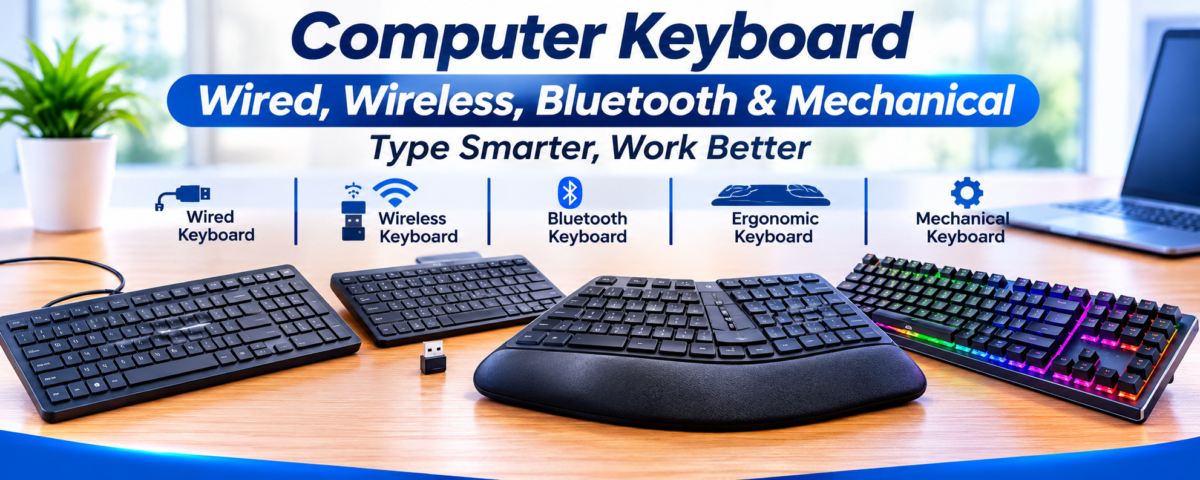
Computer Keyboard Buying Guide in Kenya: Wired, Wireless, Bluetooth & Mechanical
Buying a computer keyboard in Kenya involves choosing the right connectivity, typing feel, layout and budget. Whether you need a wired USB keyboard for an office desktop, a wireless keyboard for your laptop, a Bluetooth keyboard for multiple devices or a mechanical gaming keyboard, understanding the differences helps you make an informed purchase.
Computer keyboards vary in switch mechanisms, key arrangements, connection methods, battery systems and compatibility. A basic wired keyboard may be sufficient for schoolwork and office applications, while programmers, gamers and professionals may prefer advanced wireless features, mechanical switches or ergonomic designs.
This computer keyboard buying guide in Kenya explains the main keyboard types, compares wired and wireless connectivity, explores mechanical switch options and highlights practical buying considerations for students, offices, businesses and gaming workstations.
Quick Keyboard Buying Recommendations
- Students and computer labs: Wired USB keyboards for simple, battery-free operation.
- Office desktops: Full-size wired or wireless keyboards with numeric keypads.
- Modern laptops: Bluetooth keyboards that support the required operating system.
- Home and hybrid work: Wireless keyboard-and-mouse combos or multi-device keyboards.
- Gaming: Mechanical or gaming-focused keyboards with suitable switches and controls.
- Professional typing: Keyboards with comfortable layouts, suitable key travel and useful shortcuts.
Understanding the Different Types of Computer Keyboards
Computer keyboards are commonly classified by their connectivity, key mechanism, physical size and intended application. These categories can overlap. For example, a mechanical keyboard may support wired USB, Bluetooth and 2.4GHz wireless connectivity.
Wired USB Keyboards
Connect directly to a compatible computer through USB and generally require no batteries.
Best for: Offices, schools, cybercafés, computer laboratories and fixed desktops.
Consider: Cable management and available USB ports.
2.4GHz Wireless Keyboards
Use a dedicated USB receiver for wireless communication without conventional Bluetooth pairing.
Best for: Home offices, business workstations and keyboard-and-mouse combos.
Consider: Battery requirements and receiver compatibility.
Bluetooth Keyboards
Pair with compatible laptops, tablets and desktops without requiring a dedicated USB receiver.
Best for: Mobile computing, hybrid work and supported multi-device setups.
Consider: Bluetooth support and operating system compatibility.
Mechanical Keyboards
Use individual mechanical switches that offer different typing feedback and sound characteristics.
Best for: Gaming, programming and typing-focused workstations.
Consider: Switch type, noise, keyboard size and price.
Ergonomic Keyboards
May feature curved key arrangements, split designs or wrist-support accessories.
Best for: Users who prefer alternative typing positions.
Consider: Hand positioning, desk height and individual comfort.
Compact Keyboards
Use reduced layouts such as TKL, 75% or 60% to save desk space.
Best for: Portable setups, small desks and gaming.
Consider: Missing numeric, function or navigation keys.
Wired vs Wireless vs Bluetooth vs Mechanical Keyboards
Choosing between keyboard types depends on your workstation and preferred typing experience. Connectivity and switch mechanism are separate characteristics, so mechanical keyboards can also be wired or wireless.
| Keyboard Type | Main Advantage | Consideration | Best Application |
|---|---|---|---|
| Wired USB | No battery maintenance | Requires compatible USB port | Offices and computer labs |
| 2.4GHz Wireless | Cable-free typing | Requires receiver and power | Home and business desktops |
| Bluetooth | No dedicated receiver needed | Requires compatible Bluetooth hardware | Laptops and tablets |
| Mechanical | Choice of switch feedback | Noise and cost vary | Gaming and intensive typing |
| Ergonomic | Alternative typing positions | Adjustment may be required | Professional workstations |
Mechanical Keyboard Switches Explained: Red, Brown and Blue
Mechanical keyboards are available with different switch mechanisms. Red, Brown and Blue are common switch colour conventions, although exact specifications vary between manufacturers.
Red Mechanical Switches
Typing feel: Generally linear, without a pronounced tactile bump.
Suitable for: Gaming and users who prefer smooth key travel.
Note: Red switches are not automatically silent.
Brown Mechanical Switches
Typing feel: Generally tactile, with a noticeable bump during key travel.
Suitable for: Writing, programming and mixed office or gaming use.
Note: Tactile strength and noise depend on the switch.
Blue Mechanical Switches
Typing feel: Typically tactile with an audible click.
Suitable for: Personal typing setups where pronounced feedback is preferred.
Note: Clicky switches may disturb nearby users in shared spaces.
Switch colour alone does not determine durability, quality or gaming performance. Compare the manufacturer’s switch specifications, keyboard construction and sound characteristics before ordering.
Mechanical vs Membrane Keyboards: Which Should You Buy?
Membrane keyboards generally use rubber-dome or membrane-based key mechanisms, while mechanical keyboards use individual switch assemblies. Both can provide dependable typing when selected for the intended application.
| Feature | Membrane Keyboard | Mechanical Keyboard |
|---|---|---|
| Key mechanism | Usually rubber-dome or membrane-based | Individual mechanical switches |
| Typing feedback | Varies by design | Linear, tactile or clicky options |
| Sound | Often relatively quiet | Depends on switch and construction |
| Price | Often more affordable | Often more expensive |
| Customization | Usually limited | Model-dependent switch and keycap options |
| Common use | Schools and offices | Gaming and typing-focused work |
Computer Keyboard Sizes: Full-Size, TKL, 75% and 60%
Keyboard size affects portability, desk space and access to frequently used keys. Before purchasing a compact keyboard, check which keys are retained and which require shortcuts.
Full-Size Keyboard
Usually includes a numeric keypad, function row and navigation keys.
Best for: Accounting, Excel, administration and data entry.
Tenkeyless (TKL)
Typically removes the numeric keypad while retaining most standard typing and navigation keys.
Best for: Gaming, programming and smaller desks.
75% Keyboard
Uses a compact arrangement that commonly retains function keys and selected navigation controls.
Best for: Hybrid workers and compact productivity setups.
60% Keyboard
Usually removes dedicated function, navigation and numeric keypad sections.
Best for: Minimalist setups and users comfortable with function shortcuts.
US QWERTY vs UK Keyboard Layout: What Kenyan Buyers Should Know
Computer keyboards sold in Kenya may use US ANSI, UK ISO or other regional layouts. The differences affect the physical arrangement of some keys and the printed symbols.
- US ANSI: Typically features a wide horizontal Enter key.
- UK ISO: Typically features a taller Enter key and an additional key near the left Shift area.
- Language settings: The operating system keyboard layout should match the physical key arrangement where possible.
- Numeric keypad: Confirm whether the keyboard includes a dedicated number pad.
- Shortcuts: Verify the availability of keys frequently used in programming, accounting or professional applications.
Keyboard compatibility tip: Before ordering, confirm the exact layout, USB or Bluetooth connection, operating system support and package contents. Some wireless keyboards require a dedicated USB receiver, while advanced shortcuts and lighting controls may need manufacturer software.
Recommended Computer Keyboards Available in Kenya
Different keyboard models are designed for different workflows. The following Rapidtech product listings provide examples of wired office keyboards, wireless combos, mechanical gaming keyboards and ergonomic productivity solutions.
Dell KB216 Multimedia Keyboard – Wired Office Computing
The Dell KB216 is a wired USB keyboard designed for everyday typing and business computing. Its full-size layout makes it practical for desktops used in offices, schools and administrative environments.
Best for: Office desktops, computer laboratories and general typing.
Explore the Dell KB216 Multimedia Keyboard.
Lenovo 160 Wired Keyboard and Mouse Combo – Business Workstations
The Lenovo 160 combines a wired keyboard and mouse for compatible desktop setups. It is worth considering when equipping multiple office computers with basic input accessories.
Best for: Business desktops, administrative workstations and institutional procurement.
View the Lenovo 160 Wired Keyboard and Mouse Combo.
HP CS10 Wireless Keyboard and Mouse Combo – Everyday Office Use
The HP CS10 offers a wireless keyboard-and-mouse arrangement for compatible computers. It is an option for users seeking fewer cables on their desks.
Best for: Home offices, business workstations and everyday desktop computing.
Compare the HP CS10 Wireless Keyboard and Mouse Combo.
Logitech MK345 Comfort – Wireless Keyboard and Mouse Combo
The Logitech MK345 is a wireless keyboard-and-mouse combo designed for everyday desktop productivity. It is suitable for users who want a coordinated input-device setup.
Best for: Office desktops, home computing and general productivity.
Explore the Logitech MK345 Comfort Wireless Keyboard and Mouse Combo.
Vention Wireless Keyboard and Mouse Combo – Full-Size Layout
The Vention wireless keyboard-and-mouse combo offers a full-size keyboard arrangement for compatible workstations. The listed version features a US English layout and includes a mouse pad.
Best for: Office desktops, home computing and users who prefer a numeric keypad.
View the Vention Wireless Full-Sized Keyboard and Mouse Combo.
Rapoo V500 Pro – Mechanical Gaming Keyboard
The Rapoo V500 Pro is a compact mechanical gaming keyboard offered in a multi-mode wireless configuration. It is suitable for users interested in mechanical key feedback and reduced desk footprint.
Best for: Gaming, compact desktop setups and mechanical keyboard users.
Explore the Rapoo V500 Pro Multi-Mode Wireless Mechanical Gaming Keyboard.
Confirm the exact switch type, connectivity, keyboard layout and hot-swap support for the listed model before ordering.
Logitech G213 – Wired RGB Gaming Keyboard
The Logitech G213 is a full-size gaming keyboard with RGB lighting, dedicated media controls and Logitech Mech-Dome key technology. It provides gaming-oriented features without using conventional individual mechanical switches.
Best for: Gaming setups requiring a full-size keyboard and customizable lighting.
View the Logitech G213 Wired Gaming Keyboard.
Logitech Wave Keys and Lift Combo – Ergonomic Workstations
The Logitech Wave Keys and Lift combo combines a wave-shaped keyboard with a vertical mouse for users interested in alternative typing and pointing-device designs.
Best for: Office workstations and users who prefer ergonomic input-device options.
Explore the Logitech Wave Keys and Lift Keyboard and Mouse Combo.
Computer Keyboard Prices in Kenya: What Affects the Cost?
Computer keyboard prices in Kenya depend on the brand, switch mechanism, connectivity, layout, battery system and additional features. Basic wired keyboards generally cost less than advanced wireless, mechanical gaming and ergonomic models.
Budget Keyboards
Usually wired USB or basic membrane keyboards suitable for everyday typing, schools and office desktops.
Mid-Range Keyboards
May include wireless combos, Bluetooth connectivity, quieter keys and improved productivity features.
Premium Keyboards
May offer mechanical switches, rechargeable batteries, backlighting, multi-device connectivity or specialized ergonomic designs.
Buying tip: Compare current prices and specifications on individual product pages. Confirm applicable VAT, delivery charges and warranty conditions before ordering.
How to Choose the Right Keyboard for Your Application
For Students and School Computer Laboratories
Choose an affordable wired USB keyboard or a simple wireless model. Prioritize compatibility, dependable typing and easy maintenance. Wired keyboards can be especially practical in shared computer laboratories because they do not require batteries or wireless receivers.
For Office and Business Workstations
Full-size wired or wireless keyboards are suitable for many administrative tasks. Consider quiet typing, numeric keypads, shortcut keys and comfortable desk positioning. Businesses purchasing multiple units should confirm quantities, layouts and compatibility before requesting quotations.
For Hybrid Workers and Laptop Users
Bluetooth keyboards can be convenient for compatible laptops and tablets, particularly where USB ports are limited. Multi-device switching is useful for professionals who regularly work across multiple supported computers or mobile devices.
For Gaming and Programming
Compare mechanical switches, keyboard size, key rollover, programmable controls and lighting. A tenkeyless or compact keyboard may provide additional mouse movement space, while programmers should consider the availability of navigation and symbol keys.
For Accounting and Data Entry
A full-size keyboard with a numeric keypad is often practical for spreadsheets, invoicing, financial applications and number-intensive workflows. Check the keyboard layout and key spacing before purchasing.
Important Features to Check Before Buying a Keyboard
Computer Keyboard Buying Checklist
- Connectivity: Wired USB, 2.4GHz receiver, Bluetooth or multi-mode.
- Keyboard size: Full-size, TKL, 75%, 65% or 60%.
- Layout: US ANSI, UK ISO or another required configuration.
- Switch mechanism: Membrane, scissor, mechanical or another design.
- Typing noise: Consider quieter keys for shared environments.
- Hot-swap support: Verify switch replacement compatibility.
- Battery: Replaceable cells or rechargeable battery.
- Backlighting: Check whether lighting is included and adjustable.
- Operating system: Windows, macOS, Android, iPadOS or another platform.
- Package contents: Confirm receiver, cable, batteries and accessories.
- Warranty: Check the applicable manufacturer and seller terms.
- Price: Confirm VAT and delivery charges.
Hot-Swappable Mechanical Keyboards: What You Should Know
A hot-swappable mechanical keyboard allows compatible switches to be removed and replaced without soldering. This can be useful for users who want to change typing feel or replace a compatible switch.
However, not every mechanical keyboard is hot-swappable. Some models use soldered switches, while others support only specific switch designs. Check the exact manufacturer’s specifications before purchasing.
Hot-swap support does not make a keyboard waterproof or guarantee repair after liquid damage. Follow the manufacturer’s cleaning and maintenance instructions.
Battery-Powered vs Rechargeable Wireless Keyboards
Wireless keyboards may use replaceable AA or AAA batteries or built-in rechargeable batteries. The best option depends on operating time, charging preferences and workplace requirements.
Replaceable battery keyboards: May offer long battery life and allow users to replace depleted batteries without charging.
Rechargeable keyboards: Eliminate routine disposable battery replacement but require periodic charging. Battery runtime varies according to usage, lighting and settings.
For offices and mobile workstations, consider whether the keyboard supports typing while charging and whether compatible charging accessories are included.
Computer Keyboard Compatibility with Laptops, Desktops and Tablets
Keyboard compatibility depends on the connection method, operating system and exact device model. Some keyboards are general-purpose peripherals, while others are designed for specific tablets or detachable computers.
Windows Laptops and Desktop Computers
Many wired USB and receiver-based keyboards work with compatible Windows computers. Bluetooth models require supported Bluetooth hardware and software.
Apple MacBooks and iPads
Many third-party keyboards can be used with compatible Apple devices, although shortcut keys and layouts may differ. Device-specific keyboard accessories require exact model compatibility.
Explore the Apple Magic Keyboard for iPad Pro 13-inch and verify your iPad generation before ordering.
Samsung Galaxy Tablets
Compatible keyboard covers can provide physical typing controls for supported Samsung Galaxy tablets.
Review the Samsung Galaxy Tab S8/S7 Book Cover Keyboard Slim and confirm the exact supported tablet model.
Microsoft Surface Devices
Microsoft Surface keyboard accessories may use model-specific connectors and dimensions. Compatibility should be checked against the exact Surface model and generation.
Explore the Microsoft Surface Pro Keyboard 11th Edition with Slim Pen.
Where to Buy Computer Keyboards in Nairobi, Kenya
Rapidtech Networks Limited supplies computer keyboards and accessories for laptops, desktops, schools, offices, business workstations and gaming setups. Browse our computer keyboards in Kenya category to compare available wired USB, wireless, Bluetooth, mechanical and ergonomic keyboards.
Explore our Logitech keyboards and accessories, HP keyboards and accessories and Dell computer accessories for everyday typing, office productivity and professional workstations.
For additional options, browse our Lenovo computer accessories, Rapoo keyboards and accessories and Microsoft computer accessories. Selected Vention accessories include keyboard-and-mouse solutions for compatible computers.
Customers can contact our Nairobi CBD office for product availability, compatibility assistance, quotations and collection arrangements. Business and institutional buyers can request quotations for specific keyboard models and quantities, with delivery options across Kenya.
Frequently Asked Questions About Computer Keyboards in Kenya
Which computer keyboard is best for office work?
A full-size wired USB keyboard or compatible wireless keyboard is suitable for many office tasks. Choose based on connectivity, typing comfort and whether a numeric keypad is required.
Is a wired keyboard better than a wireless keyboard?
Wired keyboards avoid battery maintenance, while wireless keyboards provide more flexible placement. The best option depends on your workstation and preferences.
What is the difference between Bluetooth and 2.4GHz wireless keyboards?
Bluetooth keyboards pair through compatible Bluetooth hardware, while many 2.4GHz keyboards use a dedicated USB receiver. Some models support both connection methods.
Are mechanical keyboards better for gaming?
Mechanical keyboards provide different switch feedback options and may include gaming-focused features. Actual performance depends on the keyboard model, connection technology and supported controls.
Which mechanical keyboard switch is best for typing?
Red, Brown and Blue switches provide different typing sensations. The preferred switch depends on typing style, sound tolerance and individual preference.
Are Red mechanical switches silent?
Not necessarily. Red switches are generally linear, but keyboard noise depends on switch construction, keycaps and typing force.
What does hot-swappable mean on a keyboard?
A hot-swappable keyboard allows compatible mechanical switches to be replaced without soldering. Not every mechanical keyboard supports this feature.
Should I buy a full-size or compact keyboard?
Choose a full-size keyboard if you frequently use a numeric keypad. Compact keyboards are useful when desk space and portability are priorities.
Can I connect a Bluetooth keyboard to my laptop?
Yes, provided the keyboard and laptop support compatible Bluetooth connectivity and operating system requirements.
Do wireless keyboards require internet access?
No. Bluetooth and dedicated wireless receiver connections operate locally without requiring internet access.
Where can I buy computer keyboards in Nairobi?
Rapidtech Networks Limited supplies computer keyboards and accessories online and from our Nairobi CBD office.
Do you deliver computer keyboards outside Nairobi?
Rapidtech Networks Limited offers countrywide delivery arrangements, subject to product availability, order confirmation and applicable shipping charges.
Buy Computer Keyboards in Kenya from Rapidtech Networks Limited
Rapidtech Networks Limited supplies wired USB keyboards, wireless keyboards, Bluetooth keyboards, mechanical gaming keyboards, ergonomic keyboards and keyboard-and-mouse combos for compatible laptops, desktops and business workstations. Compare available brands, connectivity options, layouts and specifications online or contact our Nairobi CBD office for product enquiries and quotations.
We serve customers in Nairobi, Mombasa, Kisumu, Nakuru, Eldoret, Thika, Kiambu, Nyeri, Meru, Embu, Machakos, Kitale, Kericho, Kisii, Malindi and other towns throughout Kenya.
Our team can assist with keyboard connectivity, layouts, mechanical switch types, USB and Bluetooth compatibility, ergonomic preferences and business procurement requirements. Contact Rapidtech Networks Limited with your preferred model, computer specifications and delivery location for assistance.
Call or WhatsApp 0722 555 289, or email sales@rapidtech.co.ke.
[…] For a broader explanation of keyboard connectivity, mechanical switches and physical layouts, read our computer keyboard buying guide in Kenya. […]
[…] For a detailed explanation of wired, wireless, Bluetooth and mechanical keyboard technologies, read our computer keyboard buying guide in Kenya. […]