
Electronics
Which Mecer UPS Should I Buy? Complete Buyer’s Guide
Jun
Which Mecer UPS Should I Buy? Complete Buyer’s Guide
Choosing the right Mecer UPS depends on what you want to protect, how sensitive the equipment is, how much backup time you need and whether the UPS will be used at home, in an office, for CCTV, in a network cabinet, in a server room or for larger business infrastructure. A small router backup setup does not need the same UPS as a server room, and a CCTV system should not be sized the same way as a single desktop computer.
This guide helps you decide which Mecer UPS to buy based on your application. For detailed capacity planning, read our Mecer UPS size guide in Kenya. To understand the difference between UPS technologies, see our Mecer online UPS vs line interactive UPS guide. For budget planning, visit our Mecer UPS price guide in Kenya.
The best Mecer UPS is not simply the cheapest or largest model. The best choice is the UPS that correctly matches your equipment load, runtime needs, protection level, installation environment and future expansion plans.
Start With the Equipment You Want to Protect
The first question is simple: what do you want the UPS to keep running during a power outage? The answer determines the most suitable UPS type and capacity range. Small electronics, business workstations, CCTV systems, network devices and servers all have different power protection needs.
| Equipment Type | Recommended Mecer UPS Type | Typical Capacity Direction | Buying Advice |
|---|---|---|---|
| Router, ONT and Modem | Line Interactive UPS | 650VA to 1000VA | Suitable for home internet backup and light loads. |
| Desktop Computer and Monitor | Line Interactive UPS | 850VA to 1500VA | Good for safe shutdown and short backup time. |
| Office Computers and POS Systems | Line Interactive UPS | 1000VA to 3000VA | Choose based on number of devices and expected runtime. |
| CCTV DVR, NVR and PoE Switch | Line Interactive or Online UPS | 1000VA to 3000VA+ | Size according to recorder, camera load, PoE and router backup. |
| Network Cabinet | Rackmount UPS | 1500VA to 6000VA | Best where structured rack installation and cable management matter. |
| Servers and Storage | Online or Rackmount Online UPS | 3kVA to 10kVA+ | Use online UPS protection for critical IT infrastructure. |
Choose Based on Equipment Criticality
Not all equipment has the same business impact. A home router, office printer, CCTV recorder, firewall and server should not be treated equally. Criticality helps determine whether you need a basic backup UPS, a larger line interactive UPS, a rackmount UPS or an online UPS.
| Criticality Level | Examples | Recommended UPS Direction |
|---|---|---|
| Low Criticality | Home router, modem, basic electronics | Small line interactive UPS |
| Moderate Criticality | Office computers, POS terminals, small CCTV systems | Larger line interactive UPS with capacity headroom |
| High Criticality | Network cabinets, firewalls, business switches, surveillance systems | Rackmount or online UPS depending on load sensitivity |
| Mission-Critical | Servers, storage, core systems, enterprise infrastructure | Online UPS or enterprise UPS with proper assessment |
Which Mecer UPS Should You Buy for Home Use?
For home use, the main requirement is usually internet backup, safe shutdown for a desktop computer or protection for small electronics. A small line interactive Mecer UPS is normally suitable because it is affordable, simple to use and enough for light loads.
If your main goal is keeping a router, ONT and modem powered during short outages, start with a small Mecer UPS. If you want to support a desktop computer and monitor, choose a slightly higher capacity so the UPS is not overloaded.
Which Mecer UPS Should You Buy for an Office?
For offices, the right Mecer UPS depends on the number of computers, routers, printers, switches and POS terminals connected. A small office may use a 1000VA to 2000VA UPS, while an office with several workstations or networking equipment may require 3000VA or higher.
Office buyers should avoid using one small UPS for too many devices. It is better to separate loads by importance, such as internet equipment, workstations, POS systems and security equipment.
Which Mecer UPS Should You Buy for CCTV?
For CCTV systems, the required UPS depends on whether you are backing up only the recorder or the full system, including PoE switches, routers and monitoring screens. A basic CCTV setup may use a line interactive UPS, while larger surveillance installations may require more capacity or an online UPS.
Security-critical sites should prioritize runtime and reliability. If CCTV recording must continue during outages, calculate the combined load of the DVR or NVR, PoE switches, cameras, router and any supporting devices.
Which Mecer UPS Should You Buy for Networking Equipment?
Networking equipment such as routers, switches, firewalls and wireless controllers may have relatively low power consumption, but they are important because they keep communication systems online. A rackmount Mecer UPS is often suitable for network cabinets because it fits neatly into structured racks and improves cable organization.
For business-critical networks, consider whether the load requires online UPS protection. This is especially important where internet, VoIP, access control, CCTV and business systems depend on the same network cabinet.
Which Mecer UPS Should You Buy for Servers?
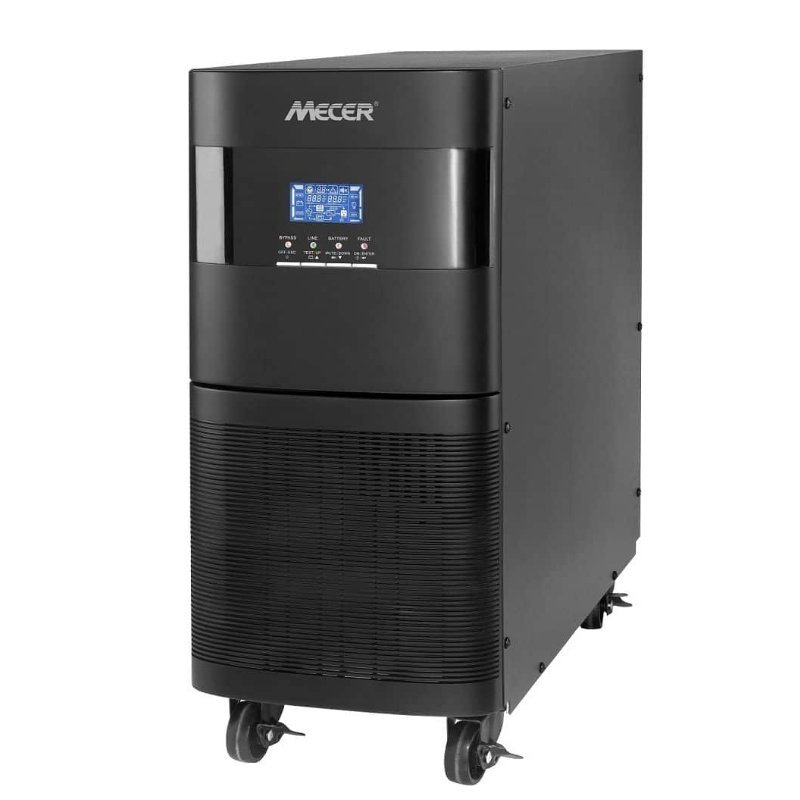
For servers, storage and virtualization hosts, a Mecer online UPS or rackmount online UPS is usually the better choice. Servers are more sensitive to unstable power and sudden shutdowns, so they require stronger protection than basic office electronics.
Server room UPS selection should include load calculation, runtime planning, safe shutdown procedures, rack space, power distribution and future expansion. For larger installations, professional assessment is recommended before purchase.
Mecer UPS Decision Matrix
The table below summarizes the best Mecer UPS direction based on common buyer needs. Use it as a starting point before confirming final capacity and runtime requirements.
| If You Need To Protect | Recommended Mecer UPS | Why |
|---|---|---|
| Home internet equipment | Small line interactive UPS | Affordable backup for light loads. |
| Desktop PC and monitor | Line interactive UPS with enough watt capacity | Allows safe shutdown and short backup time. |
| Office workstations | 1000VA to 3000VA line interactive UPS | Good for general business backup. |
| CCTV system | Line interactive or online UPS | Depends on camera load and recording criticality. |
| Network cabinet | Rackmount UPS | Fits structured IT racks and keeps cabling organized. |
| Server room | Online or rackmount online UPS | Provides stronger protection for critical IT systems. |
| Large business loads | Three-phase online UPS | Suitable for enterprise and institutional applications. |
Choose Based on Backup Runtime
Backup runtime is the amount of time a UPS can keep connected devices powered during an outage. Runtime is affected by battery size, connected load, battery condition and UPS capacity. A UPS powering only a router can run longer than the same UPS powering a desktop computer, monitor and printer.
If your goal is only safe shutdown, a shorter runtime may be acceptable. If your goal is to keep CCTV recording, internet connectivity or network equipment running, runtime becomes more important.
| Runtime Goal | Typical Need | UPS Planning Advice |
|---|---|---|
| Safe Shutdown | Enough time to save work and shut down safely. | Choose enough capacity for the connected load, not excessive runtime. |
| Short Continuity | Keep routers, POS or CCTV running during brief outages. | Size carefully and avoid unnecessary loads. |
| Business Continuity | Support critical systems while power stabilizes or generator starts. | Consider online UPS, runtime planning and load prioritization. |
| Extended Backup | Keep selected systems running for longer periods. | Requires proper battery planning and professional assessment. |
Common Mistakes When Choosing a Mecer UPS
The cheapest UPS may not have enough capacity, runtime or protection level for your equipment.
VA rating is useful, but the watt rating determines the real load the UPS can support.
General electronics and servers do not require the same UPS technology.
Growing offices, CCTV systems and network rooms should allow spare capacity for future devices.
A UPS should support prioritized equipment, not every device in the office.
UPS batteries lose capacity over time, reducing runtime and backup reliability.
Frequently Asked Questions
Which Mecer UPS should I buy for home internet?
For home internet, a small Mecer line interactive UPS is usually suitable for a router, ONT and modem. Choose based on the number of devices and required runtime.
Which Mecer UPS is best for office computers?
For office computers, a line interactive UPS between 1000VA and 3000VA is commonly suitable, depending on how many computers and devices are connected.
Which Mecer UPS is best for CCTV?
For CCTV, choose based on the DVR or NVR, PoE switch, cameras, router and required backup time. Small systems may use line interactive UPS, while larger systems may need higher capacity or online UPS protection.
Which Mecer UPS should I buy for servers?
For servers, an online UPS or rackmount online UPS is recommended because servers and storage systems require stronger power protection and proper shutdown planning.
Should I buy a tower or rackmount Mecer UPS?
Choose a tower UPS for standalone office or home use. Choose a rackmount UPS for network cabinets, server racks and structured IT rooms.
Is a bigger Mecer UPS always better?
Not always. A bigger UPS may provide more capacity, but the best choice depends on the actual load, runtime requirement, UPS type and installation environment.
Buy the Right Mecer UPS in Kenya
Rapidtech Networks Limited supplies Mecer UPS systems for home users, offices, CCTV systems, retail businesses, schools, hospitals, networking equipment, server rooms and enterprise environments. We help customers choose the right Mecer UPS based on equipment load, runtime needs, UPS technology and budget.
Browse our Mecer UPS Systems in Kenya or explore our Mecer UPS Power Backup Solutions in Kenya for installation, runtime testing, battery replacement and support.
Contact Rapidtech Networks Limited today for help choosing the right Mecer UPS for your application.

Pingback: Best Mecer UPS for Home Use in Kenya | Rapidtech Networks Limited