
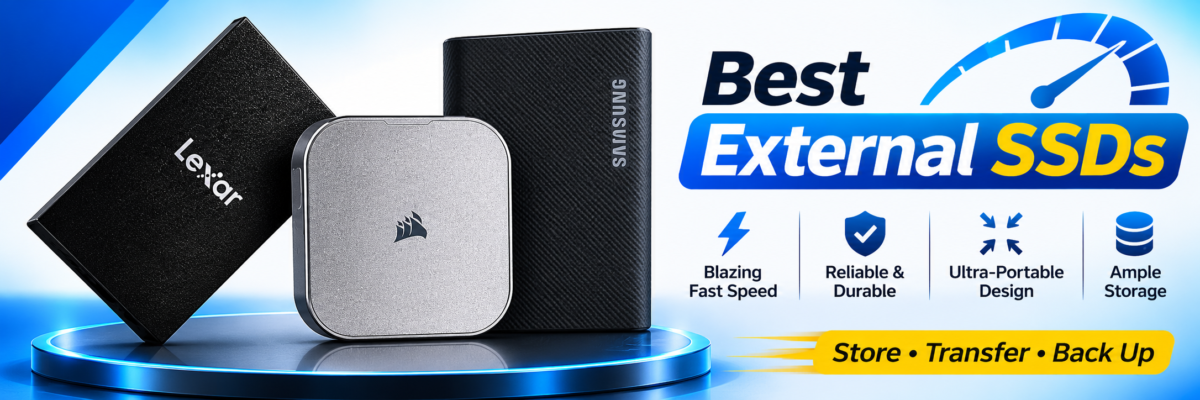
Best External SSDs in Kenya: Samsung, SanDisk & Western Digital Compared
Looking for the best external SSDs in Kenya? Samsung, SanDisk and Western Digital offer portable solid-state drives for laptop backups, photography, video editing, gaming and everyday file transfers. Popular models include the Samsung T7, Samsung T7 Shield, Samsung T9, SanDisk Extreme Portable SSD V2, WD My Passport SSD and WD_BLACK P40.
Choosing the right external SSD depends on your computer’s USB connection, required capacity, portability, durability and budget. Mainstream USB 10Gbps models commonly advertise sequential read speeds up to 1,050 MB/s, while selected USB 20Gbps models reach approximately 2,000 MB/s on compatible hardware.
Quick Recommendation: Which External SSD Should You Buy?
Samsung T7: A compact option for everyday office work, documents and portable backups.
Samsung T7 Shield: A rugged option for photographers, videographers and frequent travelers.
SanDisk Extreme Portable SSD V2: A portable option for fieldwork and creative projects, with a convenient carrying loop.
WD My Passport SSD: A compact option for everyday storage and compatible Windows or Mac workflows.
Samsung T9 or WD_BLACK P40: Higher-speed options for users with compatible USB 20Gbps connections.
Browse our external SSD drives in Kenya or read our complete storage accessories buying guide before purchasing.
Samsung vs SanDisk vs Western Digital: External SSD Comparison
The table below compares popular portable SSD models by advertised performance, connectivity, durability and intended use.
| Feature | Samsung T7 / T7 Shield | SanDisk Extreme V2 (E61) | WD My Passport SSD | Samsung T9 / WD_BLACK P40 |
|---|---|---|---|---|
| Advertised Read Speed | Up to 1,050 MB/s | Up to 1,050 MB/s | Up to 1,050 MB/s | Up to 2,000 MB/s |
| Advertised Write Speed | Up to 1,000 MB/s | Up to 1,000 MB/s | Up to 1,000 MB/s | Up to 2,000 MB/s |
| USB Interface | USB 3.2 Gen 2, 10Gbps | USB 3.2 Gen 2, 10Gbps | USB 3.2 Gen 2, 10Gbps | USB 3.2 Gen 2×2, 20Gbps |
| Durability | T7: up to 2m drop; Shield: IP65 and up to 3m drop | Check exact E61 revision; current specifications may list IP65 and up to 3m drop protection | Up to 2m drop resistance on specified models | Model-specific durability; verify exact rating |
| Primary Application | Everyday storage and rugged fieldwork | Portable creative projects | Office and personal backups | High-speed transfers and gaming libraries |
Performance note: All speeds are manufacturer-advertised maximum sequential figures for selected models. Real-world performance depends on capacity, host interface, cable, file size, temperature and sustained workload. Features and ratings must be confirmed against the exact model and revision.
1. Samsung External SSDs: T7, T7 Shield & T9
Samsung offers several portable SSD families covering everyday storage, rugged outdoor use and higher-speed transfers. The main difference between the T7, T7 Shield and T9 is the balance of portability, protection and interface bandwidth.
Samsung Portable SSD T7
Best for: Office users, students and everyday portable storage.
Offers USB 10Gbps connectivity, advertised read speeds up to 1,050 MB/s and a slim metal design. Suitable for compatible laptops, desktops and supported mobile devices.
Samsung T7 Shield
Best for: Photographers, videographers and travel.
Combines up to 1,050 MB/s read speeds with an IP65 dust and water resistance rating and manufacturer-tested drop resistance up to 3 metres.
Samsung Portable SSD T9
Best for: High-speed file transfers and demanding creative workflows.
Supports USB 20Gbps connectivity and advertised read/write speeds up to 2,000 MB/s with compatible host hardware.
Why Choose Samsung Portable SSDs?
Samsung’s portable SSD range offers clear choices for different workloads. The T7 prioritizes compact everyday storage, the T7 Shield adds rugged protection, and the T9 targets users who can take advantage of higher-bandwidth USB connections.
Samsung’s supported portable SSD models also provide security features such as AES 256-bit hardware encryption, subject to the model and software configuration. Compare individual specifications before ordering.
Explore our Samsung products in Kenya for available storage options.
2. SanDisk Extreme Portable SSD V2 (E61)
The SanDisk Extreme Portable SSD V2 is designed for users who need a compact, portable drive for photographs, video projects, documents and other large files. Its integrated carrying loop is convenient for attaching the drive to a compatible clip or carrying accessory.
SanDisk Extreme V2 Key Features
- Interface: USB 3.2 Gen 2, 10Gbps.
- Sequential read: Up to 1,050 MB/s.
- Sequential write: Up to 1,000 MB/s.
- Design: Compact portable enclosure with carrying loop.
- Durability: Water, dust and drop resistance specifications depend on the exact model revision.
- Security: Supported models include password protection with hardware encryption.
- Applications: Photography, travel, fieldwork and portable backups.
Important SanDisk Firmware & Warranty Considerations
SanDisk previously published a firmware advisory for certain Extreme Portable SSD V2, Extreme Pro Portable SSD V2 and WD My Passport SSD products that could unexpectedly disconnect from computers. Buyers should check the exact model and serial number against the manufacturer’s current support information.
Buying tip: Before using a portable SSD for important data, verify its model, applicable firmware status and warranty coverage. Use only the manufacturer’s official update instructions and maintain separate backups. Not every drive or production batch is necessarily affected.
Explore our SanDisk storage products in Kenya to compare available models.
3. Western Digital: My Passport SSD & WD_BLACK P40
Western Digital offers portable SSD products for everyday file storage and gaming applications. The WD My Passport SSD is positioned toward compact general-purpose storage, while the WD_BLACK P40 emphasizes higher-speed transfers and gaming-oriented features.
WD My Passport SSD
Best for: Everyday office backups, personal files and portable storage.
Selected models provide advertised read speeds up to 1,050 MB/s through USB 10Gbps connectivity. The compact enclosure makes it suitable for carrying between compatible computers.
Check the exact model’s cable accessories, encryption features and firmware status before purchase.
WD_BLACK P40 Game Drive SSD
Best for: PC gaming libraries and high-speed portable transfers.
Supports USB 3.2 Gen 2×2 connectivity with advertised sequential speeds up to 2,000 MB/s. It also includes configurable RGB lighting through supported software.
Actual performance and gaming compatibility depend on the connected computer or console.
Is the WD_BLACK P40 Suitable for PS5 or Xbox?
The WD_BLACK P40 can be used for supported external game storage functions on compatible consoles. However, PlayStation 5 games cannot be played directly from USB extended storage; they must be moved to compatible internal storage to play.
Similarly, Xbox Series X|S optimized games generally require supported internal or expansion storage for direct play, with exceptions depending on the game.
Explore our Western Digital products in Kenya for available storage options.
Samsung T7 Shield vs SanDisk Extreme V2: Which Is Better?
The Samsung T7 Shield and SanDisk Extreme Portable SSD V2 both target users who need portable storage with protection against everyday handling and environmental exposure.
The T7 Shield offers a rubberized enclosure, IP65 rating and manufacturer-tested drop resistance up to 3 metres. The SanDisk Extreme V2 provides a compact design with a carrying loop and model-dependent ruggedness specifications.
Choose based on the exact product revision, available warranty, preferred design and current price. Neither brand should be assumed to guarantee protection against data loss, and both require a suitable backup strategy.
Samsung T9 vs WD_BLACK P40: Which Is Faster?
Both the Samsung T9 and WD_BLACK P40 offer advertised sequential transfer speeds up to approximately 2,000 MB/s through USB 20Gbps connectivity.
For users with compatible host ports, these models can provide faster large-file transfers than many mainstream USB 10Gbps portable SSDs. However, a higher advertised maximum speed does not guarantee faster performance in every application.
Before Paying Extra for a 2,000 MB/s SSD
Confirm that your laptop or desktop supports USB 20Gbps operation. A USB-C connector, USB4 label or Thunderbolt port does not automatically guarantee USB 3.2 Gen 2×2 support. Without a compatible connection, a high-speed SSD may operate at a lower transfer rate.
Which External SSD Is Best for Your Needs?
| Application | Models to Consider | What Matters Most |
|---|---|---|
| Students & Office Users | Samsung T7, WD My Passport SSD | Portability, capacity and compatibility |
| Photographers | Samsung T7 Shield, SanDisk Extreme V2 | Portable design and ruggedness |
| Video Editors | Samsung T9, T7 Shield, WD_BLACK P40 | Sustained transfers and host bandwidth |
| PC Gamers | WD_BLACK P40, Samsung T9 | Game compatibility and connection speed |
| Portable Backups | Samsung T7, WD My Passport SSD, SanDisk Extreme V2 | Capacity, file system and backup software |
External SSD Prices in Kenya: What Affects the Cost?
External SSD prices in Kenya depend on storage capacity, interface bandwidth, manufacturer, enclosure design, security features, durability rating and warranty terms.
500GB Portable SSD
Consider for smaller file collections, office documents and basic portable storage needs where available.
1TB Portable SSD
Useful for general backups, photography projects, video transfers and personal media libraries.
2TB – 4TB Portable SSD
Consider for larger creative projects, gaming libraries and substantial portable storage requirements.
Rather than relying on fixed price estimates that may become outdated, compare the current listed prices and specifications of available external SSD models at Rapidtech Networks Limited.
USB 10Gbps vs USB 20Gbps: Do You Need a Faster SSD?
Most everyday users can benefit from a USB 10Gbps portable SSD for backups, documents, photographs and regular file transfers. Higher-bandwidth USB 20Gbps models are more relevant when frequently transferring large files and when the host computer supports the required connection.
| Interface | Selected SSD Advertised Speeds | Suitable Applications |
|---|---|---|
| USB 5Gbps | Often around 400–500 MB/s | Basic portable storage |
| USB 10Gbps | Up to approximately 1,050 MB/s | Everyday backups and creative projects |
| USB 20Gbps | Up to approximately 2,000 MB/s | Large file transfers on compatible computers |
Connection bandwidth is not the same as sustained drive performance. Always verify the host port, cable and drive specifications.
External SSD Compatibility: Windows, Mac, Phones & Consoles
Many external SSDs can work across multiple operating systems and devices, but compatibility is not determined by the USB connector alone.
- Windows laptops and desktops: Confirm USB interface support, file system and any required software.
- Mac computers: Check the supported USB transfer mode, file system and manufacturer compatibility information.
- Android devices: Confirm USB host support, power requirements and supported file formats.
- iPhones and iPads: Check the specific device model, operating system and external storage requirements.
- Gaming consoles: Confirm supported external storage functions and game installation restrictions.
For a deeper explanation of portable and built-in storage, read our internal SSD vs external SSD comparison.
External SSD Warranty, Firmware & Data Protection
Before buying a portable SSD, review the manufacturer’s warranty terms and the seller’s applicable support arrangements. Manufacturer warranties may vary by model, region and purchase conditions.
For selected SanDisk Extreme V2 and WD My Passport SSD models, check whether a manufacturer firmware advisory applies to the exact serial number. Do not assume all products are affected, and do not install firmware intended for a different drive.
Protect Important Files
An external SSD is a storage device, not a complete backup strategy. Keep independent copies of important business documents, photographs and project files, and periodically verify that backups can be restored.
External SSD Buying Checklist in Kenya
- Confirm the exact manufacturer, model and capacity.
- Check whether your computer supports USB 5Gbps, 10Gbps or 20Gbps.
- Compare advertised and sustained transfer performance.
- Verify the included cables and required connectors.
- Check water, dust and drop resistance ratings where needed.
- Review encryption and password-protection features.
- Confirm compatibility with Windows, Mac or other intended devices.
- Check the applicable warranty and firmware support information.
- Compare current prices and product specifications.
- Maintain separate backups of important data.
Related Storage Buying Guides
Complete Computer Storage Accessories Buying Guide
Understand SSDs, HDDs, USB flash drives, memory cards and other storage accessories before choosing a device.
Read our complete storage buying guide
SSD vs HDD: Which Storage Drive Should You Buy?
Compare solid-state and mechanical drives for speed, durability, capacity, gaming and backups.
Internal SSD vs External SSD: Differences & Best Uses
Learn how NVMe, SATA, USB and external enclosures affect performance and portability.
Frequently Asked Questions About External SSDs in Kenya
Which external SSD is best in Kenya?
The best choice depends on your device and intended use. Samsung T7 suits everyday storage, T7 Shield and SanDisk Extreme V2 suit portable creative work, while Samsung T9 and WD_BLACK P40 target higher-speed applications.
Is Samsung T7 better than SanDisk Extreme SSD?
Both offer fast USB 10Gbps storage. The better choice depends on portability, durability, model revision, warranty and price rather than brand alone.
What is the difference between Samsung T7 and T7 Shield?
Both advertise read speeds up to 1,050 MB/s. The T7 Shield adds an IP65-rated rugged enclosure and manufacturer-tested drop resistance up to 3 metres.
Is the SanDisk Extreme Portable SSD V2 good for photography?
It can be suitable for portable photography workflows. Confirm the exact model’s specifications, firmware status and backup arrangements before using it for important projects.
Is WD My Passport SSD suitable for office backups?
Yes, it can serve as a local backup destination on compatible systems. Important files should also be protected using additional independent backups.
Which is faster, Samsung T9 or WD_BLACK P40?
Both advertise sequential speeds up to 2,000 MB/s on compatible USB 20Gbps connections. Actual performance depends on the host and workload.
Can I use an external SSD with a MacBook?
Many portable SSDs support compatible Mac computers. Check the specific Mac’s USB capabilities, the drive’s file system and manufacturer requirements.
Can I play PS5 games directly from an external SSD?
No. PS5 games stored on USB extended storage must be transferred to compatible internal storage before they can be played.
Is a 1TB external SSD enough?
A 1TB drive can suit many personal backup, photography and file-transfer requirements. Larger video projects or gaming libraries may need additional capacity.
Are external SSDs waterproof?
Not all external SSDs have water resistance ratings. Models such as the Samsung T7 Shield carry an IP65 rating, which does not mean they are waterproof or suitable for immersion.
Where can I buy external SSDs in Nairobi?
Rapidtech Networks Limited supplies external SSDs and storage accessories online and from our Nairobi CBD office. Availability depends on the specific model and capacity.
Do you deliver external SSDs outside Nairobi?
Yes. Rapidtech Networks Limited offers delivery arrangements across Kenya, subject to product availability, delivery charges and destination.
Buy External SSDs in Kenya from Rapidtech Networks Limited
Rapidtech Networks Limited supplies portable external SSDs and storage accessories for compatible laptops, desktops, gaming systems, photography equipment and business applications. Explore available Samsung, SanDisk and Western Digital products to compare capacities, interfaces, performance specifications and prices before ordering.
We serve customers in Nairobi, Mombasa, Kisumu, Nakuru, Eldoret, Thika, Kiambu, Nyeri, Meru, Embu, Machakos, Kitale, Kericho, Kisii, Malindi and other towns throughout Kenya.
Our team can assist with external SSD compatibility, USB connection requirements, capacity selection, warranty information and suitable storage options for personal or business use. Contact Rapidtech Networks Limited for product enquiries and quotations.
Shop our external SSD drives in Kenya or call 0722 555 289 for assistance.